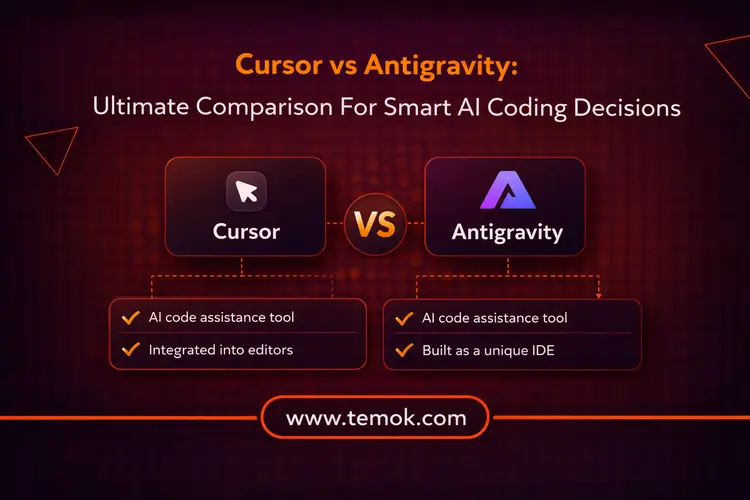

In current software development, the Cursor vs Antigravity contrast demonstrates how AI coding tools have evolved from basic aides to intelligent development partners. Cursor focuses on increasing developer efficiency with AI-powered code editing, whereas Antigravity leverages agent-based automation to handle complicated, multi-step processes. Developers may choose the optimal option for their speed, control, and automation needs in 2026 by being aware of this shift.
AI coding assistants are actively changing how developers create, read, and think about code; they are no longer just an idea for the future. Cursor vs Antigravity stands out among the various tools on the market today, not because of their stunning features but rather because they represent two very distinct ideologies. There is more to this distinction than just tools. It’s about deciding between faster shipping and better comprehension.
This Google Antigravity vs Cursor distinction is important since the assessment criteria change based on the real problem you are attempting to address. Teams investigating what autonomous development agents could unleash require different resources than teams seeking immediate productivity benefits inside current procedures.
Keep reading and exploring to learn about the main difference between Cursor and Google Antigravity. Moreover, by the end of the blog, you will have surely made better and smarter AI coding decisions in 2026.
What is Cursor?
With native integration of sophisticated language models (Claude 3.5 Sonnet, Chat GPT 4, and Gemini 2.0 Pro/Flash), Cursor is an AI-powered code editor created as a Visual Studio Code derivative (official documentation) for AI-first development workflows.
Additionally, it offers multi-file editing via its unique Composer collaborative model (2.0 announcement), SOC 2 certified with zero data retention options, advanced diagnostic capabilities, including runtime monitoring for cross-stack troubleshooting, and semantic codebase indexing using vector-based search throughout your entire indexed codebase.
With AI included, Cursor is more than simply Visual Studio Code. It is an AI-powered editor with deep integration that comprehends your whole codebase.
Cursor allows you to think in high-level commands rather than file by file, like:
- Include authentication for every API route.
- Convert this part to hooks.
- Correct TypeScript mistakes across the project.
The Cursor then automatically applies those modifications to several files. Let’s now discuss some features before getting into the Cursor vs Antigravity comparison.
Key Features
- Multi-Agent Parallelism: Using remote environments or git worktrees, the platform may operate up to eight parallel agents in separate workspaces. This makes it possible for teams to work on several features at once without running into problems.
- Embedded Browser Tool: Agents may examine DOM elements, test UI flows, and interact with a browser that is integrated inside the IDE. Because of this, end-to-end validation is possible without ever leaving the development environment.
- Sandboxed Terminals: Shell commands on macOS operate in a secure sandbox with read/write workstation access and no internet by default. Unintentional code execution is prevented by this security-first strategy.
- Voice Control: Using specified keywords that initiate agent execution, voice mode employs speech-to-text to control AI agent frameworks. This hands-free contact accelerates certain operations.
- Team Commands: Using the Cursor dashboard, administrators may provide custom commands and shared rules for team members. This guarantees uniformity among development teams.
Pros of Cursor:
- Saves a lot of time.
- Great for repeated jobs
- Easily manages huge refactors
- Enables you to work quickly in unfamiliar codebases
Cons of Cursor:
- When using multi-agent git worktrees, some users encounter issues and confusion.
- Tracking session history might be challenging or unreliable.
- There is a severe learning curve when managing up to eight agents.
- Careful preparation is needed to choose which agent should do which duty.
- Combining outcomes from several agents can get complicated.
- The composer’s quickness can occasionally diminish correctness in edge situations.
Let’s now discuss Google Antigravity before getting into the Cursor vs Antigravity comparison in 2026.
Also Read: Smarter Devices: How AI and IoT Are Powering The Future
What is Google Antigravity?

In contrast, Google Antigravity is an agent-first platform that uses AI to autonomously plan, carry out, and verify multi-step development processes across browser, editor, and terminal (Google Antigravity documentation). It’s more about assigning tasks to autonomous agents than it is about supporting your workflow. Moreover, it is one of the best Cursor competitors in 2026.
Additionally, the platform has native interaction with Google Cloud data services using Model Context Protocol (MCP) servers and a 1-million-token context window thanks to its Gemini 2.0 base.
Antigravity helps you solve difficult problems by acting as a thinking companion. It aids in your comprehension of complex logic, old code, or architectural issues.
It emphasizes:
- Describing the operation of code
- Determining the causes of bugs
- Providing several options
- Clearly discussing trade-offs
Key Features
- Agent Manager Interface: An independent window for creating, coordinating, and monitoring agents in various workspaces. Moreover, agents don’t clutter your code. Instead, they function via a separate manager user interface.
- Artifacts System: Every agent activity produces artifacts such as task plans, snapshots, and browser recordings, allowing you to verify what the agent is doing. Moreover, developers may trust agent functionality without going over every line of code because of this openness.
- Browser Integration: You may connect Antigravity agents straight to your Chrome instance using a browser plugin, allowing for browser interaction and recording. Through real web browser testing, agents may check features, test apps, and engage with online interfaces.
- Workspaces & Inbox: The Inbox tab centralizes your agents’ communications, updates, and task feedback, while many workspaces allow you to manage distinct tasks.
- Free Tier Access: With liberal rate limitations for Gemini 3 Pro usage, Antigravity is accessible in public preview for Windows, macOS, and Linux.
Let’s now discuss the pros and cons of Antigravity before discussing Cursor vs Antigravity.
Pros of Google Antigravity:
The instinct is the same for any developer who has experienced Google Reader, Inbox, and a dozen more shutdowns. This looks fantastic. Will it disappear in two years? Here are the advantages you must look for that make it one of the best Cursor alternatives:
- It feels truly unique to have the editor, Agent Manager, and browser integrated.
- Agent work is auditable and simple to examine because of the artifact system.
- It is quite useful to have Gemini 3, Claude, and other AI models in one Google Antigravity vs Cursor-style playground.
- The demo flight tracker’s trajectory demonstrates the extent to which full-stack missions may be pushed.
Cons of Google Antigravity:
- Early adopters are already irritated by spinning wheels and login loops.
- In actual use, rate constraints feel harsh.
- Certain activities require manual prodding because they halt silently.
- Its possible future on the “Killed by Google” list is already being made fun of.
Cursor vs Antigravity: Quick Comparison
Let’s have a quick comparison table before we get deep into the Cursor vs Antigravity comparison.
| Feature | Cursor | Antigravity |
|---|---|---|
| Usability | Editing that is easy for beginners and similar to VS Code | Workflow based on agents, greater learning curve |
| Stability | Mature, reliable, predictable | Experimental, sometimes inconsistent |
| Browser Integration | Built-in browser + DOM tools | Extension-based, recording + automation |
| Pricing | Free + paid plans ($20+/month) | Free preview, pricing TBD |
| Safety & Control | Strong control, sandboxed actions | Autonomous, potential security risks |
| Monitoring | Fast with simple diffs | Detailed logs, artifacts & recordings |
Also Read: How To Start Coding: A Beginner’s Guide
Cursor vs Antigravity: Detailed Comparison
Here is a detailed comparison for your better understanding:
1. Usability and Learning Curve
Because Cursor provides little friction, you may appear productive in minutes if you understand exactly how to use Visual Studio Code. Its AI is consistent with popular mental models for typing and editing.
Antigravity, on the other hand, promotes a task management approach in which you guide agents rather than entering code. It is powerful, but it comes with a greater cognitive cost, especially when you’re tired or in a hurry.
2. Maturity and Stability
The Cursor’s dependability, predictability, and well-documented character have all been evaluated and certified. Newer and more experimental, Antigravity’s autonomous agents may loop, misunderstand instructions, or yield inconsistent outcomes. Early evaluations also highlight autonomy-related security issues, where caution is required when agents have excessive control.
3. Browser and Testing Integration
Although they do it in various ways, both platforms provide browser configuration or integration. Cursor offers an embedded browser with DOM examination within the editor, whereas Antigravity employs recording and agent-driven browser interaction via extension.
Both provide substantial workflow benefits to developers creating web apps. While Cursor’s embedded method preserves everything in one window, Antigravity’s recording function generates audit trails.
4. Cursor vs Antigravity Pricing
Let’s discuss the Cursor vs Antigravity pricing difference now.
Cursor
- There is a free tier.
- Pro plans cost more than $20 per month
- Reliable price for consistent use
Antigravity
- Free during the public preview
- Allowable usage limitations
- Long-term pricing will be decided
5. Safety and User Control
When developing code that is safe for production, developer control is essential.
Cursor maintains consistency. Because its inline modifications adhere to your current types and naming conventions, the codebase is kept intact. Additionally, the sandboxed terminal prevents dangerous instructions from having an impact on your system.
Antigravity, on the other hand, acts more forcefully and independently. AI agents occasionally produce new auxiliary files or utilities that don’t really exist, so you have to replace them manually, according to early users. This might result in unanticipated modifications. Although sandboxing might lessen these problems, Google also cautions about possible security concerns, including data leakage or improper code execution.
6. Task and Artifact Monitoring
Cursor prioritizes speed. It does not demonstrate much of the agent’s high-level reasoning, but it provides obvious code diffs for scrutiny. For teams seeking quick and effective growth, this improves Cursor.
On the other hand, Antigravity provides you with comprehensive artifacts that demonstrate the agent’s actions, including screenshots, plans, and recordings. Teams that require robust documentation or audit trails will find it helpful.
Cursor vs Antigravity Which is Better?

Here are the conditions where you should use between Cursor vs Antigravity:
Choose Antigravity if:
- You wish to experiment with agent-based development and central orchestration.
- Your approach includes regular cross-surface testing across the editor, terminal, and browser.
- You require complete artifact documentation for stakeholders or compliance
- You are comfortable overseeing autonomous agents and analyzing higher-level outputs.
- You want free accessibility to groundbreaking AI capabilities during the public preview.
- You deal with large codebases that benefit from millions of token context windows.
Choose Cursor if:
- You require production-stable code that has passed a comprehensive team review.
- Your team wishes to operate many concurrent development streams simultaneously.
- You value accurate, predictable AI help and developer control.
- You operate in contexts where security and sandboxed execution are important.
- You need the ability to choose between several AI model suppliers.
FAQs (Frequently Asked Questions)
Is Cursor or Google Antigravity Better For Enterprise Security?
Based on early 2026 reviews, Cursor is widely seen as superior for immediate company security, but Google Antigravity provides a more transparent, audit-friendly strategy for autonomous agent security.
Can I Use Cursor With JetBrains IDEs?
Yes, Cursor may be used with JetBrains IDEs such as IntelliJ IDEA, PyCharm, and WebStorm via the Agent Client Protocol (ACP).
What Are The Performance Limitations of Cursor on Large Codebases?
While it works quite well on small to medium projects, big repositories might result in excessive RAM utilization, delayed indexing, and lower accuracy.
How Does Pricing Compare Between Cursor And Google Antigravity?
Google Antigravity is often regarded as significantly less expensive or free than Cursor, owing to its current public preview phase and design as an “agent-first” platform.
Does Google Antigravity Work At Enterprise Scale?
As of early 2026, Google Antigravity does not yet perform properly at a business scale and is seen as a potential but untested technology for large-scale production environments.
Conclusion
This Cursor vs Antigravity comparison demonstrates a painful reality: Cursor has two years of production experience, yet it chokes on the codebases that require AI the most: huge monorepos, ancient systems, and 500-file service meshes. Moreover, Google Antigravity has a potential size (1 million token context window seems amazing), but there is no business certification, and a security flaw was detected within 24 hours of debut. However, Google won’t even allow its developers to use it internally. So, it can be the best AI IDE in 2026.