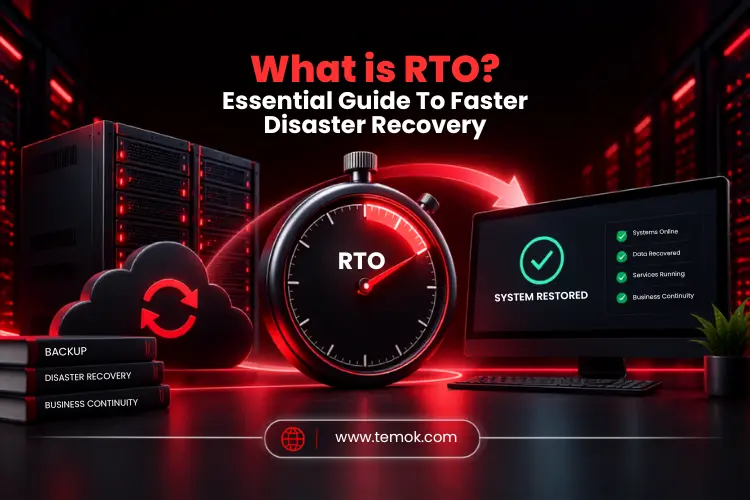

RTO stands for Recovery Time Objective, which defines the maximum amount of time a system, business, or application process can remain unavailable after a disaster before its restoration. Understanding what is RTO is as important because it can truly provide faster disaster recovery.
A few moments of downtime may be acceptable for one system. At the same time, it may prove disastrous for another system. This is the fact that a payment platform, hospital app, online store, or customer service portal needs a much faster and more reliable recovery than an internal archive.
That is the main reason why organizations need the best RTO strategy because it is way more than an IT number. Moreover, Recovery Time Objective RTO connects advanced technology with real business consequences. It includes lost revenue, interrupted operations, client frustration, and productivity losses. A real-time RTO gives your disaster recovery team a clear target before an incident happens.
Keep reading and exploring to learn about real RTO meaning in disaster recovery and much more.
Key Takeaways
- RTO or Recovery Time Objective refers to the total amount of time it takes for an organization to recover and resume normal business operations after a huge disruption or disaster.
- RTO really matters for businesses because it truly helps businesses limit downtime and prioritize disaster recovery efforts.
- RTO is actually measured in time, such as minutes, hours, or days.
- Different systems have completely different RTO backup targets as per their business importance.
- The lower your business RTO becomes, the stronger infrastructure, automation, redundancy, recovery tools, and technical resources are required.
What is RTO (Recovery Time Objective)?
The recovery time objective (RTO) is the total duration a company has to restore its operations to an acceptable point after a disaster in order to avoid further business downtime and unacceptable data loss.
The full acronym of RTO is Recovery Time Objective. Moreover, understanding the full meaning of what is RTO is very important. The recovery time objective specifies a timeframe for recovering a negatively affected service following an outage, cyber threats, hardware failure, natural disaster, or other disruptive event.
Additionally, recovery becomes complete after the impacted service has been restored to the level specified in the organization’s recovery plan. That does not necessarily imply that every secondary function is completely normal. The organization should specify what “restored” refers to for every operation.
Therefore, identifying RTO in disaster recovery before a disaster occurs is extremely important. Before deciding on infrastructure, backup techniques, staffing, failover systems, and other recovery technologies, teams must first determine the necessary recovery timeline.
How Does RTO Work?
A brief timetable can help explain the fundamental RTO disaster recovery process:
Disruption occurs → Downtime begins → Recovery starts → Service is restored → RTO target is met or missed
- Many factors influence restoration timelines, including the time of day and day of the week when a disaster happened.
- In reality, the procedure impacts both RTOs (Recovery Time Objectives) and RPOs (Recovery Point Objectives).
- Higher-priority applications might require higher-level recovery targets. In these circumstances, the IT department must arrange both continuous and snapshot replications.
Simple RTO Example
Let’s understand what is RTO with a simple example:
- A company establishes an RTO of two hours for its e-commerce platform. The website goes offline at 10:00 a.m.
- The recovery plan calls for restoring the platform by 12:00 p.m. If clients can effectively access the service at 11:40 AM, the recovery objective has been accomplished.
- The recovery time objective example demonstrates why the measure is useful. Instead of saying “we need to recover quickly,” it has a measurable target.
Why is RTO Important in Disaster Recovery?
RTO is very important in disaster recovery because it converts the ultimate goal of “recovering rapidly” into a particular recovery target. It truly helps businesses decide which systems urgently need priority and what disaster recovery capabilities are justified by their business impact.
Understanding and establishing a proper disaster recovery RTO strategy ensures that recovery efforts are in line with company goals, reducing downtime and lowering financial loss, operational impact, and reputational harm.
Without a defined RTO, companies risk overinvesting in unnecessary quick recovery solutions or underpreparing, resulting in extended outages and major failures.
A practical RTO assists organizations:
- Limit allowable downtime.
- Maintain vital business processes.
- Maintain client access to essential services.
- Support organized disaster recovery planning.
- Prioritize important systems.
- Reduce both financial and operational losses.
- Set explicit recovery objectives for technical teams and management.
Understanding what is RTO in disaster recovery is therefore bound tightly to business impact. A system that earns income every minute may need a considerably shorter recovery target than a system utilized rarely.
What Happens If You Miss Your RTO?
Missing an RTO may increase the impact of an outage much beyond the initial technical issue.
The potential consequences include:
- Extended service disruption
- Revenue lost
- Employee Productivity Losses
- Customer dissatisfaction
- Contract or SLA issues
- Operational delays
- Reputational harm
As a result, a recovery strategy should be acceptable. However, setting an extremely aggressive target that the organization cannot actually achieve does not improve resilience.
Also Read: Restic vs Borg: Which One Delivers Faster Backup Performance?
How To Calculate RTO?

RTO is normally a company-defined recovery target rather than a universal mathematical formula. Therefore, for proper RTO calculation or establishment, businesses must evaluate the core consequences of downtime, real-time recovery possibilities, and the overall time within which the targeted service must return to an acceptable operating level.
However, if you want a step-by-step RTO calculation guide, follow these 6 steps:
1. Identify Critical Systems and Applications
Determine which systems, services, and data are crucial to the company’s survival in the case of a crisis. This might include data centers, dedicated servers, apps, databases, and other vital infrastructure.
2. Estimate the Impact of Downtime
Consider how a disaster or interruption will affect the company, including financial losses, regulatory fines, repeat damage, and consumer impact. This is an important RTO calculation method you must know when understanding what is RTO in detail.
3. Determine Maximum Acceptable Downtime
Ask how long the business can function without the damaged system. This is where businesses make practical judgments regarding how to calculate RTO. If a service becomes undesirable after two hours, a two-hour or shorter RTO may be necessary.
The aim should be to provide adequate time for the recovery process to finish, rather than just reflecting an ideal business expectation.
4. Assess Current Recovery Capabilities
Examine what the organization already has accessible. Consider backups, infrastructure, staff, recovery protocols, cloud infrastructure resources, redundancy, replication, failover systems, and automation.
5. Set a Realistic RTO Target
The next step in RTO calculation is to set a realistic RTO target. In this case, RTO must balance business requirements with technical viability and overall expenditure.
Additionally, a shorter Recovery Time Objective often needs more investment. Therefore, businesses may need standby infrastructure, automated disaster recovery, replication, Duplicate systems, dedicated staff, or faster storage and networking.
6. Test and Review the RTO
The last step is to use disaster recovery testing to validate whether the business is capable enough to actually meet its RTO requirements. Disaster recovery exercises might uncover sluggish manual processes, missing credentials, application reliance, configuration issues, and infrastructure limits.
RTO Examples For Different Business Systems
RTO objectives fluctuate according to workload, as each system has a unique business impact. The examples below serve as examples and should not be regarded as universal guidelines while understanding what is RTO deeply.
| System or Workload | Example RTO | Why |
|---|---|---|
| Mission-critical Transaction System | Minutes | Downtime can quickly impact key activities |
| E-commerce Website | 1 to 2 hours | Direct revenue and customer impact |
| Business Email | A few hours | Essential for communication and productivity |
| Internal Application | Several Hours | Importance depends on the business function |
| Archive System | 24+ hours | Usually less time-sensitive |
The above-mentioned examples clearly describe a very important point, which is: RTO should be allotted to a single workload. You should not apply RTO automatically across entire business operations.
The reason is that a business may have a total of a 30-minute RTO target for one application and a whole day (24-hour) target for another. Moreover, the correct number depends on the overall business impact and the available recovery potential.
Also Read: Data Security Management: 10 Best Practices Every Business Should Follow
What Factors Affect Recovery Time Objective?
Recovery time objectives are affected by business criticality, cost of downtime, infrastructure and recovery technology, data and application complexity, available IT resources, and compliance and SLA requirements.
These factors determine both how fast a business system needs to recover and how quickly it can actually be recovered. To fully understand what is RTO, here are the factors you must know that affect overall RTO:
Business Criticality
More important workloads usually necessitate shorter recovery times. A system that supports key revenue or customer activities is typically given greater recovery priority.
Cost of Downtime
The greater the financial or operational impact of an outage, the stronger the case for investing in faster recovery.
Infrastructure and Recovery Technology
Redundancies, cloud infrastructure, failover infrastructure, backup infrastructure, automation, and replication all have a substantial impact on recovery time.
Data and Application Complexity
Complex applications may take longer to recover due to their reliance on databases, authentication networks, APIs, storage, networking, and other services.
Available IT Resources
People matter too. Therefore, disaster recovery depends entirely on available expertise, tools, systems, documentation, and strong technical support.
Compliance and SLA Requirements
Several businesses may have legal, contractual, regulatory, or service-level commitments that affect their RTO requirements. When determining recovery objectives, keep these needs in mind.
RTO in Backup And Disaster Recovery

Backup is a very important part of disaster recovery. However, having a strong backup does not automatically mean a business can meet its RTO requirements.
A business must have a complete replica of its critical data and still require many hours or days to restructure the whole infrastructure, configure networking, restore apps, and then return to normal production.
This difference is especially essential when considering what is RTO in backup and recovery.
How Backups Support RTO?
A dependable backup infrastructure can assist in reducing recovery time by providing:
- Fast data restoration
- Easily accessible backup copies
- Recovery infrastructure
- Automated restoration procedures
- Testing your backups regularly
An RTO backup plan strives to do more than just save data. Its purpose is to make such data useful soon enough to meet the recovery objective.
How Disaster Recovery Supports RTO?
A larger RTO disaster recovery strategy may include:
- Redundant infrastructure
- Data and System Replication
- Automatic or semi-automatic failover
- Cloud disaster recovery resources
- Recovery automation
- Documented recovery processes
This is where backup and disaster recovery come together. Backup protects recoverable data, whereas disaster recovery offers the processes and infrastructure required to restore corporate operations.
For example, Temok’s cloud hosting services may be an important component of an organization’s overall recovery strategy. The appropriate technology should always be chosen based on the workload’s recovery needs.
Additionally, Temok’s Acronis Cyber Protect Cloud provides managed backup, data protection, threat prevention, and recovery for enterprises wishing to reinforce this layer.
Let’s now discuss what is RTO and MTD difference in real time.
RTO vs Maximum Tolerable Downtime (MTD)
RTO and Maximum Tolerable Downtime are similar, but not exactly comparable. MTD refers to the greatest amount of interruption that a business process may withstand before the impact becomes unacceptable. In contrast, RTO is the targeted timeline for restoring the impacted system or service.
In practice, MTD represents the outer limit, whereas RTO provides the recovery team a clear goal to strive for.
How To Reduce RTO and Recover Faster?
Reducing RTO involves more than just purchasing faster infrastructure. Organizations require defined recovery priorities, dependable technology, automation, established procedures, and frequent testing.
Prioritize Mission-Critical Systems
Rank systems based on their commercial impact. Recover the services that are critical to keeping the organization running.
Automate Backup and Recovery Processes
Automation strategies can eliminate repetitive manual tasks and lower the chance of human error during stressful recovery conditions.
Use Redundant Infrastructure
If you use redundant systems, it will surely reduce the reliance on a single server, storage system, network path, or location.
Implement Replication and Failover
Replication can keep an up-to-date copy of a system or data, whereas failover techniques can route activities to accessible infrastructure faster.
Maintain a Disaster Recovery Plan
Document the duties, system dependencies, recovery processes, communication mechanisms, and escalation pathways.
An effective disaster recovery RTO plan should inform individuals on what has to happen, who is accountable, and what recovery goals must be met.
Test Disaster Recovery Regularly
Testing is one of the most practical methods for determining whether an RTO is possible. It can reveal hidden dependencies and delays before a true disaster occurs.
Common RTO Mistakes To Avoid
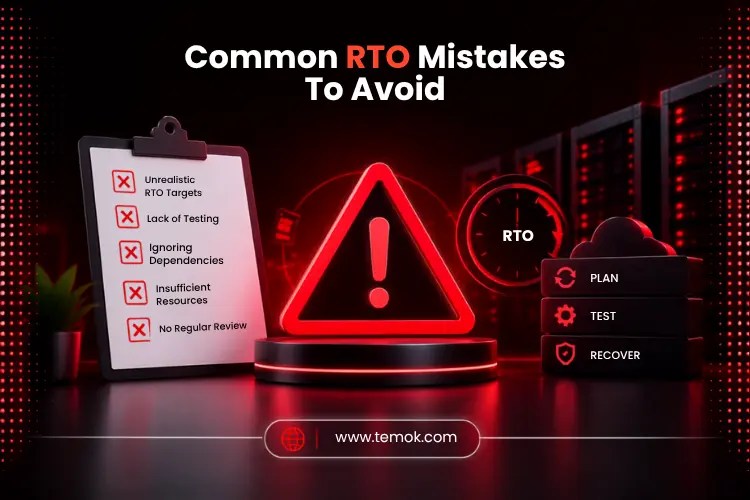
The most common RTO mistakes to avoid include setting the same RTO for every system, choosing an unrealistically low RTO, ignoring application dependencies, relying on backups without testing recovery, and setting RTO once and never reviewing it. Here are the mistakes you must avoid while understanding what is RTO in reality:
Setting the Same RTO for Every System
Not all applications are equally important. Assign goals based on their commercial effect.
Choosing an Unrealistically Low RTO
A five-minute objective sounds amazing, but it is meaningless if the business does not have the necessary infrastructure or processes to achieve it.
Ignoring Application Dependencies
It is a fact that restoring one app may never restore the business if its whole database, network, authentication, or other dependencies remain unavailable.
Relying on Backups without Testing Recovery
A backup that has never been successfully restored should not be used to demonstrate that an RTO is achievable.
Setting RTO Once and Never Reviewing It
Business goals, applications, infrastructure, and consumer expectations evolve. Periodically examine and test RTO targets.
RTO vs RPO: Are They the Same?
RTO and RPO assess different aspects of recovery. RTO focuses on how soon a service must be restored, whereas RPO focuses on the amount of data loss that the company can accept over time.
For example, an RTO may demand an application to respond within two hours, but an RPO may require recoverable data to be no older than 15 minutes. The two metrics are frequently designed together, yet they address distinct concerns. Therefore, properly understanding what is RTO vs RPO is necessary for you.
Frequently Asked Questions (FAQs)
What Does RTO Mean at Work?
In the workplace, RTO can refer to Recovery Time Objective when discussing IT, disaster recovery, or business continuity. It specifies the time it takes to restore a critical system or business process following an interruption.
What Is RTO in Healthcare?
RTO in healthcare IT refers to the time it takes to restore a crucial application or service following an outage. This can apply to systems that handle patient records, clinical operations, scheduling, communications, and other critical functions.
What Is an RTO in Business?
In business, an RTO is a recovery time objective that specifies how fast an essential service, system, or business process should resume operations following an interruption.
What Does RTO Stand for in The Military?
In the military context, RTO stands for Radio Telephone Operator. An RTO is a specialist soldier who carries and operates portable radio and communication equipment in the field.
Conclusion
Understanding what is RTO provides an organization with a clear answer to one of the most crucial recovery questions: how fast should this service be restored? Instead of addressing downtime as an undefined problem, it establishes a quantifiable goal that links business goals to technological recovery capabilities.
It’s crucial to remember that numerous sectors have different business practices, so you and your team should develop a disaster recovery plan and RTO values that are consistent with how your company runs.