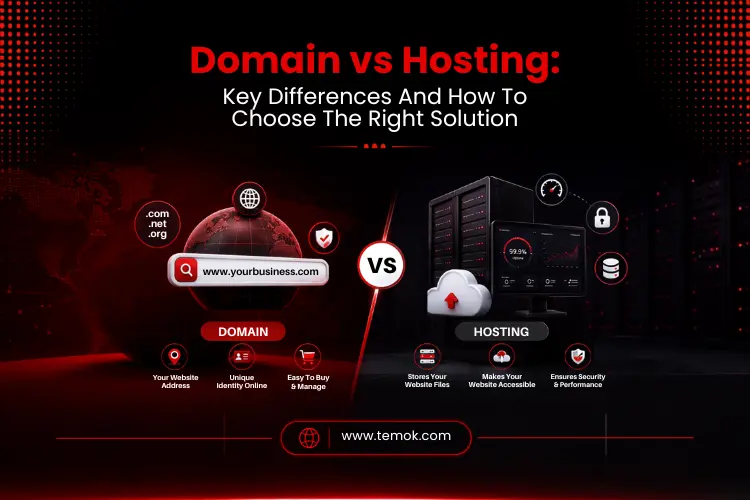

Understanding domain vs hosting is one of the first stages in creating a website. A domain name is the address of your website, whereas web hosting keeps your website files on a server, allowing visitors to access them online. You’ll need both to establish a professional website, whether it’s for a business, blog, online store, or WordPress site.
Key Takeaways
- A domain name is your web address. Web hosting refers to the storage of website files on a server.
- Both are essential for a fully operational website. One without the other does not function.
- Domain registration is normally done on a yearly basis. Depending on your package, you can host your website monthly or annually.
- Your domain registrar and hosting provider may be the same or distinct firms.
- Nameservers are DNS settings that connect your domain to your hosting account, allowing them to function together.
- Shared hosting is ideal for beginners. VPS hosting, cloud hosting, and dedicated server options are ideal for expanding organizations.
- When selecting a hosting service, always search for SSL certificate support, solid uptime guarantees, and SSD storage options.
Domain vs Hosting: Quick Comparison
Here is a quick domain and hosting comparison table for your better understanding:
| Feature | Domain | Hosting |
|---|---|---|
| Purpose | Your Website Address | Storage For Your Website Files |
| What It Is | A name (e.g., temok.com) | Space on a Server |
| Required | Yes | Yes |
| Provider Type | Domain Registrar | Hosting Provider |
| Renewal Cycle | Annual | Monthly or Annual |
| Technical Role | DNS Routing | Server Delivery |
| Managed Via | Registrar Account | Hosting Control Panel |
| Example | Temok.com | Shared Hosting, VPS Hosting, or Cloud Hosting |
Introduction
Launching a website is thrilling, but it may also be perplexing if you’re not familiar with the process. One of the most common questions beginners have is about domain vs hosting. Many individuals feel they are interchangeable, but others believe they only require one. In actuality, they perform quite distinct functions, and recognizing them may save you time, money, and stress.
Consider creating your ideal home.
Your street address makes it easier for people to locate you. The building is where you reside and store your possessions.
A website functions in a similar manner.
Your domain name serves as your internet address; however, web hosting is where your website truly resides. Without one, the other cannot fulfill its role.
This guide explains everything simply. No technical jargon. No preconceptions about what you already know. Just a simple explanation of how a domain name and website hosting function, why you need both, and how to select the best ones for your individual needs in 2026.
So, keep reading and exploring to learn the key web hosting vs domain name differences so that you can pick the right one.
What is a Domain Name?
A domain name is the human-readable address that users enter into a web browser to access your website. Instead of inputting a long string of digits, such as an IP address, visitors enter something like temok.com and are directed to your website.
How Do Domain Names Work?
Every website on the internet has a unique IP address.
Because numbers are difficult to remember, the internet employs the DNS system to convert domain names into numerical addresses.
The procedure looks like this:
- A visitor enters your domain name into their browser.
- The browser connects to the DNS.
- The DNS resolves the right IP address.
- The request is directed to your web server.
- Your webpage is loaded into the browser.
- The entire procedure normally takes a fraction of a second.
It would be far more difficult to browse the internet without DNS while you compare domain vs hosting.
Domain Extensions
Each domain name ends with an extension. These extensions are divided into various categories:
- TLD (Top-Level Domain): The widest category, encompassing all extensions such as .com, .net, and .org.
- gTLD (Generic Top-Level Domain): General-purpose extensions unrelated to a country, including .com, .net, .info, .blog, and hundreds of new alternatives.
- ccTLD (Country Code Top-Level Domain): Extensions associated with certain countries, such as .uk for the United Kingdom, .de for Germany, or .ca for Canada.
- New Domain Extensions: Modern alternatives such as .store, .tech, .agency, and .online that enable businesses to signal their industry or niche directly in the address.
In 2026, the .com gTLD remains the most recognized and trusted extension internationally.
DNS Basics
Your domain name is linked to your hosting server using DNS records. The most significant DNS records are nameservers, which inform the internet about the hosting business that manages your website.
When you purchase a domain from one registrar and hosting from another, you must alter the nameservers in your domain account to link to the web hosting provider or domain registrar. This is the connector that allows everything to operate together.
Let’s discuss web hosting before discussing domain vs hosting in detail.
What is Web Hosting?
Web hosting is a service that preserves your website files on a server that is always online. When someone visits your website, the hosting server sends the files to their browser, causing the page to load quickly.
How Hosting Works?
Every website needs a physical home. A web server is a sophisticated computer that keeps your website’s contents, such as photos, code, text, and databases, and transmits them to users when they access your pages.
Your hosting provider is in charge of managing these servers, as well as the infrastructure that keeps your website operational. Without web hosting, your domain name has nowhere to go.
What Hosting Provides?
A hosting plan provides several core resources that your website needs:
- Server space via SSD storage, where your files, databases, and emails sit.
- Bandwidth, which is the quantity of data transmitted between your website and its users each month
- Processing power so your site loads at an acceptable speed
- An IP address that uniquely recognizes your site on the internet
- Software environments like Apache or NGINX web servers that process incoming visitor requests
- Control panels like CPanel for managing your files, databases, and email accounts
Domain vs Hosting: Key Differences
Understanding domain vs hosting is considerably easier when you compare the two services side by side.
Despite working together, they handle quite distinct challenges. Your domain allows people to locate your website, but your hosting keeps everything users view once they arrive. People will struggle to find your website if you do not have a domain. Without hosting, your website has nothing to show.
A domain name indicates where a website is situated, whereas web hosting stores and serves the website’s content. The domain acts as a gateway for visitors, while hosting offers the infrastructure that keeps the site functioning.
Also Read: Anonymous Web Hosting: Reliable Hosting For Maximum Online Privacy
Domain Handles Identity
Your domain name symbolizes your online identity.
It helps people remember your brand and simply reach your website. A domain alone cannot show web pages because it lacks website content. Instead, it simply redirects users to the appropriate hosting server.
Hosting Delivers Content
Your hosting account has everything required to show your website.
This encompasses photos, databases, movies, source code, emails, and application files. When someone visits your website, the hosting platform sends these resources to their browser.
Can You Buy Them Separately?
Yes. Many organizations buy names from one registrar but use an entirely different hosting provider. This adaptability enables businesses to assess pricing, performance, customer service, and other features independently.
Your domain and hosting may function together seamlessly as long as the proper nameservers and DNS settings are in place.
Which is More Important?
This is one of the most popular starting inquiries between domain vs hosting.
The fact is that neither is more important since they serve different functions. A professional website requires both a distinctive domain name and reliable hosting.
When comparing web hosting vs domain names, consider them to be two crucial components of the same online presence.
How Domains and Hosting Work Together?

One of the simplest methods to learn domain vs hosting is to trace a visitor’s path through your website. Here are the instructions on how both the domain and hosting function.
Step 1: The Browser Sends a Request
The process starts when someone types your domain name into a browser.
Instead of randomly exploring the internet, the browser first validates the domain’s DNS infrastructure information.
Step 2: DNS Locates the Correct Server
The DNS converts your domain name into its appropriate IP address.
This informs the browser precisely where your website is hosted. Without DNS, users would have to recall long numerical addresses rather than short domain names.
Step 3: Nameservers Direct Traffic
The browser then interacts with the specified nameservers.
These nameservers specify which hosting provider stores your website. If you move hosting providers in the future, changing your nameservers will connect your domain to the new account.
Step 4: The Hosting Server Responds
The request is sent to the hosting server, where your website is stored.
The Apache or NGINX web server retrieves the requested pages, pictures, scripts, and database data.
Step 5: Your Website Appears
Finally, the requested content is sent back across the internet to the visitor’s browser.
If your hosting platform is quick and streamlined, the whole procedure seems virtually instantaneous. This is why choosing high-quality hosting has a direct impact on page speed, customer happiness, and even search engine rankings.
Simply said, your domain serves as the address, and hosting provides everything required to display your website.
Understanding how these two services interact simplifies the entire notion of host vs domain, particularly for newbies looking to establish their first website.
Do You Need Both a Domain and Hosting?
One of the most typical queries customers have after learning about domain vs hosting is if they truly require both services.
In most circumstances, the answer is “yes.”
A domain name directs visitors to your website, whereas web hosting stores and makes your website files available online. Your website will not function correctly until both are operating together.
However, there are a few circumstances in which you may just require one of these services briefly.
Let us look at the most prevalent cases.
Static websites
A basic static website includes HTML, CSS, pictures, and JavaScript files.
Even though these websites are lightweight, they require a hosting service to keep their data.
To make the site accessible via a custom address such as yourbusiness.com, domain registration is required.
Most static websites require the following:
- A domain name
- Web hosting
- SSL certificate for safe web browsing
WordPress Websites
If you’re creating a WordPress website, you’ll absolutely need a domain and hosting.
WordPress saves pages, blog entries, themes, plugins, and databases to your hosting account.
Many hosting companies even feature one-click WordPress installation with cPanel, which makes setup considerably easier for newcomers.
If you want to publish blogs, corporate information, or service websites, a premium WordPress hosting package is an excellent alternative.
Ecommerce Websites
Online retailers demand additional hosting resources.
An e-commerce website often includes:
- Product Catalogs
- Customer accounts
- Shopping carts
- Payment Gateways
- Databases
- Inventory systems
These e-commerce websites require dependable website hosting, robust website security, quick storage, and high uptime to allow users to buy without interruption.
As traffic spikes, online businesses frequently need to upgrade from shared hosting to VPS hosting or cloud hosting.
Landing Pages
Single-page marketing websites require both services.
Whether you’re marketing a product, gathering leads, or advertising an event, a custom domain establishes legitimacy while hosting the page for visitors.
Even simple landing pages benefit from:
- Quick loading speed
- HTTPS protection
- Reliable uptime
- Easy scalability
Also Read: Best Web Hosting For Small Business: The Right Web Hosting Choice
Types of Domain Names

Choosing the correct domain extension is equally crucial as picking the domain itself when comparing domain vs hosting.
Different extensions serve different objectives; therefore, understanding them will help you make an informed selection.
1. Top Level Domains (TLDs)
A TLD is the last portion of any domain name.
Examples include:
- .com
- .net
- .org
These are the most well-known domain extensions worldwide.
Because of its familiarity and trustworthiness, .com is the chosen domain name for organizations pursuing an international audience.
2. Generic Top-Level Domain (gTLD)
A gTLD is open to anybody, regardless of their location.
Popular examples include:
Today, hundreds of additional generic extensions are accessible.
Businesses frequently use these when their preferred .com domain has already been registered.
3. Country Code Top-Level Domain (ccTLD)
A ccTLD denotes a certain nation or geographic region.
Examples include:
Registering a .us domain in addition to a .com version can help businesses serving clients primarily in the United States boost their local identity and customer confidence.
4. New Domain Extensions
The domain sector is booming with contemporary extensions tailored to certain businesses.
Examples include:
- .tech
- .shop
- .store
- .blog
- .online
- .agency
Although these newer extensions can be effective for branding, businesses should still consider customer familiarity before making a final decision.
Let’s now discuss different types of web hosting in our domain vs hosting guide.
Types of Web Hosting
Choosing the proper hosting type is equally crucial as selecting the right domain. The speed, security, and scalability of your website are all determined by its hosting.
1. Shared Hosting
Shared hosting implies that your website shares a server with several other websites. Resources like bandwidth and SSD storage are shared by all users on the same system.
It is the most cost-effective choice and the greatest place to start for new websites, blogs, and small enterprises with limited traffic. The trade-off is that excessive usage by other sites on the same server might occasionally degrade performance.
2. WordPress Hosting
WordPress hosting is shared or VPS hosting that has been optimized particularly for WordPress sites. These plans often offer one-click WordPress installation, pre-configured server settings for optimal WordPress speed, automatic upgrades, and, in many cases, a free SSL certificate.
It’s a terrific choice for anyone starting a WordPress website and looking for a managed, beginner-friendly experience.
3. VPS Hosting
VPS hosting (Virtual Private Server) provides your website with a dedicated piece of a real server. Unlike shared hosting, your resources are assured and will not be shared with neighbors.
When your traffic exceeds the capacity of shared hosting, VPS hosting is the next best option. It provides increased control, improved performance, and the flexibility to install custom applications on your server. You must know this type while understanding the domain vs hosting difference.
4. Cloud Hosting
Cloud hosting distributes your website over a network of numerous servers rather than a single one. If one server fails, another takes over automatically.
This design provides high availability, on-demand scalability, and resilience. It is ideal for enterprises with unpredictable or rising traffic and those that cannot afford downtime.
5. Dedicated Server
A dedicated server provides your business with an entire physical server devoted solely to your website. No sharing. No neighbors. Complete control.
Dedicated server plans are the most powerful and costly alternative. They are ideal for major ecommerce sites, high-traffic platforms, enterprise applications, and enterprises with stringent security or compliance standards.
Although dedicated hosting is more expensive than other solutions, it offers unrivaled processing capability for heavy workloads.
Choosing the proper hosting provider today makes it simpler to expand your website’s future while maintaining speed, security, and customer experience.
Let’s now discuss how you can choose the right domain name for your website in this domain vs hosting guide.
How to Choose the Right Domain Name?
When deciding between web hosting vs domain, it’s important to remember that the former creates the first impression, while the latter determines the visitor experience.
Focus on Branding
Your domain registration should clearly describe your business.
A powerful domain is:
- Short
- Easy to pronounce
- Easy to spell
- Memorable
- Relevant to your business
Avoid using extra figures, hyphens, or difficult terms that readers may forget.
Use Keywords Naturally
Including a relevant term might sometimes assist customers in quickly comprehending what your company provides.
For example, if you operate a web design firm, choosing a relevant term may help your brand stand out.
However, avoid putting too many terms into your domain. A clear, branded name typically works better in the long run.
Keep It Short
Short domain names are easy to type, remember, and distribute.
Before finishing domain registration, test your domain by saying it out loud and having someone else spell it.
If people can recall it easily, you’ve probably picked a memorable name.
Choose the Right Extension
For most businesses, .com is still the best option since customers recognize and trust it.
If your target audience is predominantly in the US, registering both the .com and a ccTLD, such as .us, can help establish your brand and safeguard your online identity.
Check WHOIS availability
Before deciding on a name, utilize a WHOIS lookup tool to ensure the domain is accessible for registration. WHOIS databases offer public registration information for all domain names.
Register immediately
Popular names tend to be taken fast. Once you’ve selected the proper name, register it straight away with a respected domain registrar.
Now, let’s discuss choosing the right hosting provider while discussing domain vs hosting in detail.
How To Choose The Right Hosting Provider?

One of the most critical infrastructural decisions you can make for your website is who hosts it. Here is what you should assess.
Performance
Look for SSD storage on all plans since SSD drives provide much quicker read and write rates than standard hard drives. Faster storage leads to faster page loads, which affects both user experience and search rankings.
Uptime
Uptime is the proportion of time your website is active and accessible. Look for a reliable web hosting provider that claims 99.9% uptime or greater. Anything lower suggests extended periods of unavailability, which costs you visitors and trust.
Security
A respectable hosting company provides a free SSL certificate, automatic backups, virus scanning, and firewall security. In 2026, website security will no longer be optional. Weak hosting security puts both your data and your visitors at risk.
Scalability
If you’re beginning anything fresh, start with shared hosting. However, select a service that offers Linux or Windows VPS hosting, cloud hosting, and dedicated server alternatives so that you may scale without switching to a new firm as your business grows.
Customer Support
Look for 24/7 support by live chat, tickets, and phone. When your website goes down at 2 a.m., you need a staff that can respond instantly. Before making a decision, read authentic customer feedback regarding their support experiences.
Pricing
Consider what you receive for the price, not simply the headline figure. Some low plans conceal major renewal price increases. Examine the renewal rate, not just the first offer, and determine exactly what resources, such as bandwidth and SSD storage, are included.
Common Mistakes When Buying a Domain and Hosting
A lot of beginners make basic mistakes while purchasing a domain vs hosting, which might lead to avoidable troubles later. Avoiding them may save you time and money, especially if you’re looking for the best domain hosting for small business and want your site to run well from the start.
Buying Them Separately Without Checking DNS
Buying a name from one company and hosting from another is perfectly OK. However, it only works when the DNS settings are accurate. If your nameservers are not changed or the DNS records are incorrectly entered, your website may not load at all.
Changes may also take some time to show due to DNS propagation, which means that the new information must propagate throughout the internet before the site is viewable everywhere. After connecting your hosting account, always check your DNS settings to ensure that your domain refers to the right server.
Choosing the Cheapest Hosting Only
Low-cost hosting may appear appealing at first, but the cheapest solution is not necessarily the best one. Poor hosting can cause sluggish loading times, frequent outages, and a disagreeable experience for visitors.
Instead of relying just on pricing, a small business should select a hosting package that combines cost, stability, and scalability. A trusted hosting company will improve your website’s performance and assist your business as it expands.
Ignoring Renewal Costs
Many providers offer extremely inexpensive beginning pricing, but these prices frequently rise when it comes time to renew. Before purchasing, always verify the domain renewal fee, hosting renewal cost, SSL renewal costs, and any further add-ons that may be included later.
Understanding the whole long-term domain vs hosting cost allows you to prevent unforeseen charges and easily select a plan that matches your budget.
Forgetting SSL Protection
Every contemporary website should utilize an SSL certificate to secure data and increase confidence. SSL also allows for secure HTTPS connections, which show users that your website is safe to use.
If your website still utilizes HTTP rather than HTTPS, browsers may notify consumers that it is not secure. This warning could erode confidence and direct visitors away from your content or a purchase. Strong website security should always be the first priority for you from the beginning.
No Backup Plan
Hosting companies may encounter data loss and server failure. Migrations go wrong. Always make sure your hosting package includes frequent automated backups, or utilize a backup plugin if you’re using WordPress. Clean, current backups make website transfer much easier.
Ignoring Website Migration Options
Many businesses will ultimately need to upgrade to a better hosting platform as their website expands. A service that provides free website migration can simplify the procedure and prevent downtime during the transfer.
Even if you do not require migration now, it is prudent to select a host that will support it in the future. Having website migration accessible increases your flexibility and makes it easier to upgrade as your business demands evolve.
FAQs (Frequently Asked Questions)
What Is the Difference Between a Domain and Hosting?
The main domain vs hosting difference is that a domain name is your website’s internet address. Web hosting is the storage space on a server where your website’s data resides. The domain directs browsers where to go. The hosting server provides the files as they arrive. Both are distinct services that work together to provide a functional website.
Do I Need Both a Domain and Hosting?
Yes. You need a domain name so that people can locate your website, as well as web hosting so that they can find stuff there. One without the other leads to a non-functional website.
Can I Buy a Domain Without Hosting?
Yes. You can register a domain even if you aren’t ready to develop a website yet. Many firms get their choice domain first, then purchase hosting.
Can I Host a Website Without a Domain?
Technically, Yes. Your hosting account may contain a temporary server address or IP. However, a custom domain name is strongly advised for professionalism and branding.
How Do Domain Names and Hosting Work Together?
When someone puts your domain name into a browser, the DNS converts it to an IP address. The request reaches your hosting server, which returns the website content to the visitor.
Which Hosting Type Is Best for Beginners?
For newbies, shared hosting is the ideal option. It is inexpensive, simple to set up, and enough for most new websites. WordPress hosting is another good alternative for anyone working with WordPress because it is pre-configured and maintained.
How Do I Choose a Domain Name?
Choose a domain name that is short, memorable, easy to spell, and directly related to your brand. Whenever feasible, use the .com version.
How Do I Choose a Hosting Provider?
Compare providers based on their speed, uptime, security, customer service, scalability, cost, and included services like cPanel, backups, and free SSL.
Can I Change Hosting Providers?
Yes, website migration across hosting providers is widespread and easy. The procedure includes uploading your website’s files and databases to the new server, changing your nameservers via your domain registrar, and waiting for DNS propagation to complete. Most reliable hosting companies give free migration support.
Can I Use a Domain from Another Registrar?
Absolutely. Your domain registrar and hosting provider do not need to be the same firm. Simply change the nameservers to redirect the domain to your hosting account.
Do I Need Hosting for WordPress?
Yes. A self-hosted WordPress website needs hosting to store its files, themes, plugins, and database.
Can One Hosting Account Host Multiple Domains?
Yes. Depending on the package you select, many hosting services will allow you to host numerous domains under one account.
Is Domain Registration Included with Hosting?
When you buy a hosting service, many providers will provide you with a free domain name for the first year. Following the first year, domain registration renews at the usual yearly rate. Before accepting a bundled deal, always verify the renewal fee and ensure that the domain is registered in your name with a reliable registrar.
Conclusion
One of the first things that any website owner should grasp is the difference between a domain vs hosting. And now you do.
Your domain name is your address. Your website hosting is your home. You need both; they communicate via DNS, and selecting the correct providers for each establishes the basis for everything your website becomes.
Begin with a distinctive domain name and a dependable hosting plan that meets your present requirements. Look for SSD storage, high uptime, a free SSL certificate, and the ability to scale from shared hosting to VPS or cloud hosting as your traffic increases.
If you make these two domain name vs hosting selections correctly, the remainder of the process of creating your website will be much easier from the start.