
A GPU for AI is a powerful processing unit for AI designed to perform and speed up mathematical problems to process large volumes of data simultaneously.
Picking the best GPU for artificial intelligence may feel very confusing. It undoubtedly has significant specifications, yet it can be a poor fit for your model, budget, or framework if not chosen correctly. Therefore, the right choice depends on two questions: Is your model capable enough to fit, and will it be fast enough to be practical?
Moreover, we have good news for you: you don’t need to memorize every GPU for artificial intelligence specifications. Sounds Good? You just need to understand vRAM, memory bandwidth, software support, AI computing, and scaling to make the choice much better.
This blog will walk you through everything from understanding what a GPU for AI is to choosing the right one for your AI workloads. So, keep reading and exploring to learn all the information you need to choose the best GPU for artificial intelligence.
Key Takeaways
- VRAM really matters first because many factors affect how much memory you need, such as model size, precision, batch size, runtime overhead, and context.
- Generative AI, computer vision, LLMs, training, and inference may have very different GPU requirements, so your chosen workload changes everything.
- When it comes to framework compatibility, optimization, and implementation decisions, CUDA and ROCm support is very important.
- There is no universal winner; the best GPU for AI generally depends on your required mode, scaling, performance target, total capital, and infrastructure.
What is GPU For AI?
A GPU for AI is a powerful processing unit specifically configured to speed up the mathematical operations behind AI during simultaneous processing of a large volume of data. AI workloads don’t have to rely on a CPU alone; they can use thousands of AI GPU processing cores and specialized matrix acceleration devices to do a lot of complex calculations at once.
In practice, employing a GPU for AI models demonstrates transferring computationally complex model operations to hardware designed to handle them effectively.
Why Are GPUs Used for AI?
GPUs are generally preferable when dealing with massive and complicated AI models, including numerous types of deep learning models, due to their ability to provide faster computational performance.
Modern accelerators also have dedicated hardware for lower-precision formats like FP16, BF16, and FP8. Moreover, this readily empowers AI systems to deploy huge workloads faster and consume less memory in supported workloads.
Modern GPUs also come with AI-specific processors, such as Tensor Cores. As a result, they have become the standard hardware for the best GPU for machine learning and GPU for deep learning.
What Makes a GPU Suitable For AI?
GPUs are the backbone of the modern generative AI age, which has led some to classify them as rare earth metals or even the gold of artificial intelligence.
Three technical reasons and multiple narratives explain why GPU for AI training is so important. Every stance has several dimensions worth investigating, but at a high level:
- GPUs facilitate parallel processing using vRAM, memory bandwidth, AI compute, software and framework support, and multi-GPU scalability.
- GPU systems expand to supercomputing levels.
- The GPU software stack for AI is extensive and deep.
Here are the other things that make GPUs suitable for AI inference or training:
vRAM Capacity
GPU memory determines how much AI model data can remain available to its accelerator. A big model normally requires extra memory capacity. However, this parameter count is only a section of the whole calculation.
During inference, KV cache, context duration, batch size, quantization, and runtime cost can all impact the practical requirements.
As a result, GPU memory for AI should always be considered in terms of the total workload rather than just model size. Moreover, VRAM for AI is especially crucial when dealing with large language models (LLMs), as longer contexts and more concurrency can increase memory consumption.
Memory Bandwidth
Memory bandwidth is the specification that most developers overlook, yet it is the most significant. This is very important because a GPU for AI workloads spends substantial time shifting model weights, activations, and other data rather than conducting pure computation.
AI Compute Performance
Tensor or matrix engines accelerate AI mathematics, particularly in low-precision forms such as FP16, BF16, and FP8. Additionally, lower accuracy saves memory. Always check the formats a card can accelerate, as model framework, batch size, kernels, accuracy, memory access and software optimization all impact performance.
Software And Framework Support
Hardware is only functional if your software stack can make the most of it efficiently and effectively. NVIDIA’s CUDA ecosystem includes popular frameworks such as using PyTorch with CUDA, TensorFlow, and JAX, as well as optimized AI development services.
Moreover, AMD’s ROCm platform also supports popular AI frameworks and provides up-to-date compatibility data on PyTorch, vLLM, JAX, TensorFlow, and other tools.
So, when comparing an NVIDIA GPU for AI vs an AMD GPU for AI, consider the specific framework, library, operating system, and deployment environment you want to utilize.
Multi-GPU Scalability
One GPU might not be able to handle large models. For training, you may also need more than one processor to cut down on overall processing time.
GPU-to-GPU connectivity thus becomes important. Scaling efficiency can be impacted by networking, collective communication libraries, high-speed interconnects, and system architecture.
Therefore, a data center GPU for AI should be classified as a component of an entire platform rather than as a standalone chip for large deployments.
Also Read: Why Choose Temok Technologies For Enterprise AI Hosting and GPU Infrastructure
Best GPUs For AI in 2026
The best AI GPU depends on the required workload. Moreover, some of the best GPUs for AI in 2026 include NVIDIA B200, NVIDIA H100, NVIDIA H200, AMD Instinct MI300X, NVIDIA RTX PRO 6000 Blackwell, and NVIDIA GeForce RTX 5090.
To better understand these GPUs’ specifications, look at the table below:
| GPU | Memory | GPU Category | Suitable AI Workloads |
|---|---|---|---|
| NVIDIA B200 | 180 GB HBM3e (HGX) | Data Center | Large-scale AI training and inference |
| NVIDIA H200 | 141 GB HBM3e | Data Center | LLMs, training, inference |
| NVIDIA H100 | 80 GB HBM3 | Data Center | AI training and inference |
| AMD Instinct MI300X | 192 GB HBM3 | Data Center | Generative AI, LLMs, HPC |
| NVIDIA RTX PRO 6000 Blackwell | 96 GB GDDR7 ECC | Workstation/Enterprise | Professional AI Development |
| NVIDIA GeForce RTX 5090 | 32 GB GDDR7 | Consumer | Local AI and Experimentation |
The specifications ultimately rely on current manufacturer documentation accessible in 2026. For example, the B200 has 180 GB of HBM3e, the H200 has 141 GB of HBM3e, while AMD offers the MI300X with 192 GB of HBM3 and 5.3 TB/s peak theoretical bandwidth.
NVIDIA B200
The B200 is intended for use in massive data center GPU for AI projects. It has a huge amount of memory and is designed for long training runs and high-volume inference. Because of its size, it is better suited to enterprises running large clusters than single-desk configurations.
NVIDIA H200
The H200 remains very relevant for enterprise AI hosting due to its 141 GB of HBM3e and 4.8 TB/s bandwidth, which provide significant memory capacity for LLM workloads. It can be especially beneficial when weights-based models and inference data put a strain on GPU memory.
NVIDIA H100
With 80 GB of HBM3, the NVIDIA H100 continues to be a reliable worker. It is not the most recent alternative, but it still suits many training and inference tasks effectively. Meanwhile, widespread availability makes it easy to locate in hosted form.
AMD Instinct MI300X
The MI300X is an excellent data-center GPU solution for generative AI, LLM, and HPC applications. AMD claims 192 GB of HBM3 memory and 5.3 TB/s peak theoretical bandwidth, with the ROCm software stack supporting contemporary AI frameworks.
NVIDIA RTX PRO 6000 Blackwell
The RTX PRO 6000 Blackwell Workstation Edition has 96 GB of GDDR7 ECC memory with 1,792 GB/s memory bandwidth. It was created specifically for professional workloads such as AI development, data research, visualization, and memory-intensive applications that need workstation hardware.
NVIDIA GeForce RTX 5090
The GeForce RTX 5090 offers 32 GB of GDDR7 at a consumer price. It is suitable for experimentation, tiny LLMs, and image generation. However, larger versions will not fit without significant compression.
GPU Requirements For Different AI Workloads

The right GPU for AI workloads changes as per the workload. For example, a smaller computer vision model and an LLM may have very different memory and computing power requirements.
Here is how requirements differ as per workload:
1. Machine Learning and Deep Learning
A GPU for deep learning should have adequate memory to store the model and training data while also providing sufficient matrix acceleration. For traditional neural networks, memory usage, mixed-precision support, and framework compatibility are frequently more significant than just purchasing the largest available accelerator.
For many development workloads, the optimal GPU for machine learning matches the model well and works consistently with the framework of choice.
2. Large Language Models (LLMs)
LLMs are hungrier for GPU memory due to model weights, KV cache, context, and runtime requirements. Therefore, you must choose the best GPU LLM as per precision and model size. A combination of high bandwidth and larger memory capacity can enhance memory-bound inference and decrease the need to split models across multiple GPUs. For comparing different LLMs, read our dedicated guides on vLLM vs Ollama and LM Studio vs Ollama.
3. Generative AI
Image and video generation are dependent on both memory and powerful computing. A GPU for generative AI should have enough VRAM to handle high resolutions and extended clips. Fast computing also reduces wait times. In addition to AI and Machine learning performance, professional producers may desire video acceleration and workstation functionality.
4. Computer Vision
Computer vision workloads differ greatly. Image classification may have simple needs, but high-resolution identification, segmentation, video analytics, and large-scale training might require significantly more CPU and memory.
5. AI Fine-Tuning
Fine-tuning also needs more memory than inference, because of the storage of gradients. But technologies such as LoRA or QLoRA help to relieve the workload. Design for extra headroom above model size. However, the memory requirements depend on the model size, the accuracy, the context length, the batch size and the training technique.
Also Read: Best LLM Fine-Tuning Companies: 7 Top Choices For Enterprise AI Teams in 2026
GPU For AI Training vs AI Inference
GPU for AI training updates or generates a model, while GPU for AI inference utilizes a persistent trained model to generate responses and predictions. Training is often more computationally intensive, but inference may prioritize latency, throughput, memory efficiency, and concurrency.
Here is a comparison table for your better understanding:
| Factor | AI Training | AI Inference |
|---|---|---|
| Purpose | Build or update models | Run trained models |
| Compute Requirements | Generally intensive | Workload dependent |
| Memory | Often substantial | Depends heavily on model |
| Scaling | Frequently multi-GPU | Depends on traffic and model |
| Primary Concern | Training throughput | Latency and throughput |
This distinction is important when choosing a GPU AI inference since the hardware required for running a model effectively may differ from that used to train it.
How Much VRAM Do You Need For AI?
There is no universal number for this question, as VRAM depends on overall model size, quantization or precision, batch size, context length, runtime overhead, and workload type.
To better understand the VRAM requirement, you can use this formula:
Model size + precision/quantization + workload overhead = practical GPU memory requirement
VRAM for AI increases rapidly with model size. AMD’s own MI300X documentation demonstrates how quickly memory requirements increase from low to extremely large parameter numbers. The table below is illustrative and only shows weights.
| Model Size | FP16 (2 bytes) | 8-bit (1 byte) | 4-bit (0.5 bytes) |
|---|---|---|---|
| 7B parameters | about 14 GB | about 7 GB | about 3.5 GB |
| 70B parameters | about 140 GB | about 70 GB | about 35 GB |
For example, a model that has lower precision may use significantly less memory compared to the same model in a higher-precision format. Longer contexts and more concurrent queries can both increase memory use during inference.
Therefore, these are not minimum requirements for choosing the best GPU for AI. Context cache and runtime overhead increase, and training adds even more. As a result, always make room for plenty of space.
Consumer vs Workstation vs Data Center GPUs For AI
The key difference is the context that each GPU type is designed to provide. Consumer GPUs prioritize cost and local performance, workstation GPUs provide professional capabilities and greater memory options, while data-center accelerators target long-term enterprise-scale AI tasks.
Here is a comparison table for your better understanding:
| GPU Type | Suitable For | Main Consideration |
|---|---|---|
| Consumer | Local AI, experimentation | Cost, performance, VRAM |
| Workstation | Professional AI development | Memory and professional features |
| Data Center | Enterprise AI and large models | Scale, memory, reliability |
For a developer testing different models locally, a consumer GPU might be useful. Professional teams may require workstation functionality and more RAM. Meanwhile, organizations with big models or high request volumes may require data-center infrastructure that supports multi-GPU implementation.
NVIDIA vs AMD GPU For AI
Both vendors can make AI hardware, but neither one always wins. Best option depends on software requirements, memory, availability etc.
- Ecosystem: CUDA has the broadest tool support, whereas ROCm is always growing.
- Compatibility: Check that your framework supports your card.
- Memory: AMD Instinct GPUs have extremely large memory options.
- Availability: Supply and price vary by location and model.
An NVIDIA GPU for AI is often the safest choice for compatibility. When it comes to memory capacity, an AMD AI GPU can be quite appealing. So, there is no universal winner.
Additionally, if you’re also looking into specialized AI accelerators, our existing TPU vs GPU guide might help you examine architectural differences before deciding on infrastructure.
Local GPU vs GPU Server For AI
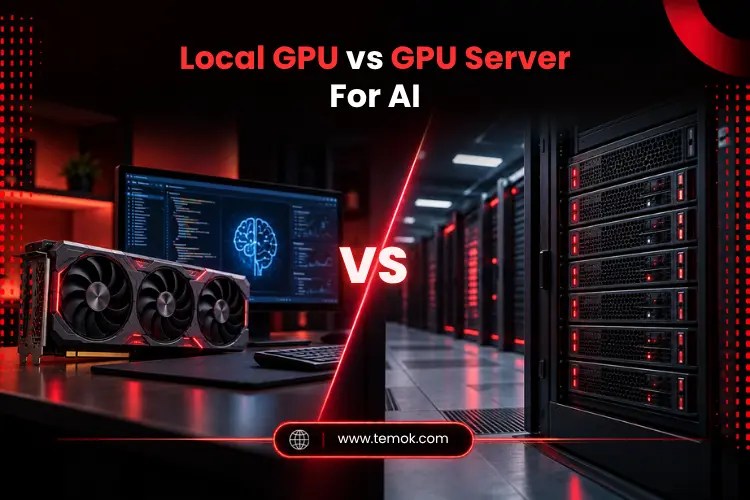
A local GPU provides you with direct ownership and control for the workload, but you also bear the costs of hardware, energy, cooling, maintenance, and fixed capacity. On the other hand, a GPU server for AI offers you remote access to higher-end hardware without asking you to buy it.
For a better understanding:
- Local GPU: You own the whole hardware, but you must pay for power, cooling, and several other updates.
- GPU server: You rent data center hardware and expand up or down as per your needs.
If your workload requires specialized accelerator infrastructure, consider Temok’s GPU Servers and AI Hosting solutions during the infrastructure comparison. The best choice, however, depends on the GPU setup, RAM, deployment style and workload rather than just the hosting label.
How To Choose the Best GPU For AI?
Choose based on your workload and budget, because the best GPU for artificial intelligence is the one that is most suitable for your specific project. Follow these steps to choose the best GPU for AI:
- Estimate memory requirements. Calculate model size, accuracy, context, batch size, cache, and runtime overhead.
- Define your AI workload. Identify your training, inference, fine-tuning, computer vision, LLM or generative AI
- Identify the workload stage. Determine if you are training models or primarily performing inference.
- Evaluate AI compute. Consider Tensor or Matrix acceleration, as well as supporting precision formats.
- Check the program compatibility. Confirm CUDA, ROCm, framework, driver, and library compatibility.
- Check VRAM and bandwidth. Check that the GPU has enough memory and can transfer data effectively.
- Plan GPU scaling. Determine whether a single GPU is sufficient or a multi-GPU architecture is required.
- Compare the local and hosted solutions. Consider ownership vs. GPU for AI server environments.
- Calculate the total cost. Consider electricity, cooling, hardware, hosting, software, support, and maintenance.
Finally, keep in mind that AI GPU Models of all sizes benefit from first-class planning memory.
FAQs About GPU For AI
What kind of GPU do you need for AI?
If you want to deploy AI locally, you may need a GPU with at least 16 GB of VRAM. However, 24 GB or more VRAM works best for larger models.
Does ChatGPT use GPU or TPU?
OpenAI has not released detailed hardware specifications. However, its models are generally assumed to run on NVIDIA GPUs in cloud data centers. In contrast, Google’s own models frequently employ TPUs.
Does a GPU help with AI?
Absolutely yes. A GPU has the power to accelerate the parallel tensor and matrix computations that are largely used in machine learning and deep learning workloads. It also helps in training and running different models much faster than a CPU for most deep learning tasks.
What GPU does Elon Musk use?
Elon Musk’s xAI has publicly demonstrated massive clusters relying mostly on NVIDIA data center GPUs, such as H100 and H200 systems, with additional hardware added over time. However, the exact configurations change as the clusters develop.
Conclusion
The #1 thing to look for in a GPU for AI is memory. Next is bandwidth, then computation, then software. Match the card with the job: training, inference, or fine-tuning.
If you are just starting out, start small and scale as your workload increases. In the meantime, if cost or capacity is a concern, check out hosted GPU servers. First of all, plan memory, as this is the first limit that most people hit.