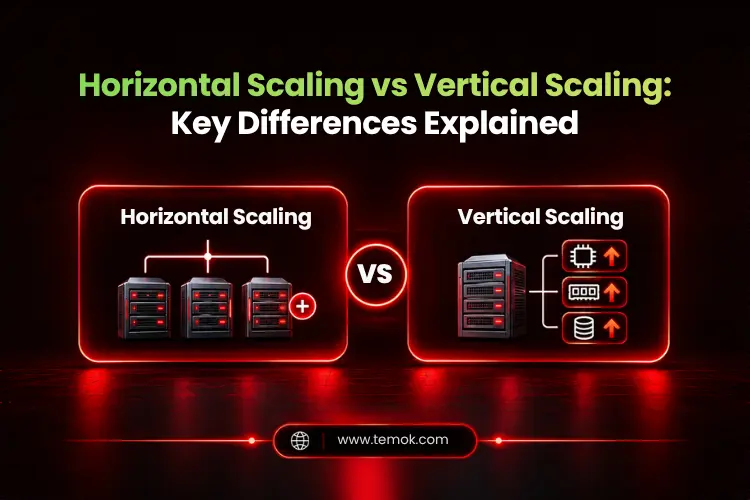

Horizontal scaling (Scale Out) means adding more servers or nodes to a system to share a huge workload, whereas vertical scaling (Scale Up) means adding extra resources like CPU, RAM, or storage to your current servers to increase system capacity.
As a website receives more visitors or an application processes more requests, its current server may struggle to keep up. Pages load slowly, databases take longer to respond, and users can leave before a service has finished loading. You can add extra capacity to fix it but how you scale is critical.
Horizontal scaling vs vertical scaling highlights two major approaches to meeting rising computer needs. You can either add more servers and nodes or you can increase the capacity of the ones you already have.
This guide will explain the key difference between horizontal and vertical scaling so that you can decide which approach will fit best as per your business requirements.
Key Takeaways:
- Vertical scaling is typically easier to implement in the beginning.
- Horizontal scaling allows for greater growth and resilience, but it may increase architectural complexity.
- Scaling advantages vary depending on application design, workload distribution, and the exact CPU, memory, or database bottleneck.
- Larger server instances may seem simpler initially, but scaling out might raise costs for networking, load balancing, and management.
- The best option between horizontal vs vertical scaling depends on overall performance requirements, availability, budget, and application design.
What is Horizontal Scaling?
Horizontal scaling, also called scale out, means adding more servers, nodes, virtual machines, and containers to handle increasing workloads efficiently. Instead of scaling up one machine, a business distributes different tasks across multiple machines using horizontal scaling.
The horizontal scaling meaning is simple to understand: improve capacity by increasing the number of machines working together. This approach is widely used in cloud computing, remote applications and services that have to deal with unpredictable traffic.
How Does Horizontal Scaling Work?
Horizontal scaling distributes incoming requests or processing workloads across multiple resources. Then, a load balancer or any other distribution layer can redirect the workload requests to available servers.
The basic workflow is:
Traffic/workload → Load balancer/distribution layer → Multiple servers/nodes
- The task is shared across several instances.
- A load balancer is a standard tool for distributing incoming traffic.
- The program and its dependencies must allow for distributed operation.
You can also understand how horizontal scaling works with this illustration:

As demand grows, administrators can add more nodes if the application and infrastructure allow it. This makes horizontal scaling in cloud computing advantageous for applications that have variable traffic or need to distribute tasks across multiple machines.
Horizontal Scaling Example
Imagine a web application is running on a single server or node and it suddenly faces significant traffic spikes. This makes the web application server unable to handle incoming requests, which leads to slower response times and lower performance. As a result, visitors will start bouncing from the application, and it will become a nightmare for you.
In this situation, a business deploys additional servers to share the incoming requests across them instead of replacing the same server with a larger one. Each server manages a certain amount of the workload, allowing the application to serve more users with greater efficiency. This is horizontal scaling, also known as scale out.
These horizontal scaling examples demonstrate how more machines may enhance capacity without depending on a single, more powerful server.
What is Vertical Scaling?
Vertical scaling, also called scale in, means adding more resources to the existing server or virtual machine. This generally involves adding more CPU capacity, RAM, storage, or additional resources while maintaining the same single-node architecture.
The actual vertical scaling meaning is to readily make one machine or virtual machine stronger rather than adding bunch of more machines which may increase architectural complexity.
How Does Vertical Scaling Work?
Vertical scaling allows an administrator to upgrade the existing server or choose a more expansive virtual machine configuration. The application is still running on the same primary node, but the update might need a restart or temporary downtime.
You can understand the working of vertical scaling with the illustration below:

The available upgrade options vary depending on the actual hardware or VPS hosting plans. The server eventually reaches its maximum capacity.
Vertical Scaling Example
Suppose a VPS (Virtual Private Server) has 4 vCPUs and 16 GB of RAM running on one server. As your workload increases, the VPS starts consuming more memory and processing power, and eventually it will become difficult for the server to handle such a huge workload.
So, instead of deploying more virtual servers, you upgrade the VPS hosting plan to 8 vCPUs and 32 GB RAM. This will handle the workload effortlessly without getting you stuck in architectural complexity by adding more servers.
This is one of the most prominent vertical scaling examples since the existing server receives additional resources without changing the overall architecture.
Also Read: Load Balancing & Scaling Web Servers: How To Handle High Traffic Volumes & Ensure Availability?
Horizontal Scaling vs Vertical Scaling: Key Differences
The main difference is that horizontal scaling adds more servers to share the workload, while vertical scaling upgrades the resources of the existing server. Therefore, the key horizontal scaling vs vertical scaling difference is how extra resources are provided.
Here is a detailed vertical scaling vs horizontal scaling comparison table for your better understanding:
| Factor | Horizontal Scaling | Vertical Scaling |
|---|---|---|
| Also Called | Scale Out | Scale Up |
| Approach | Add more machines | Add resources to existing machine |
| Architecture | Distributed | Primarily single-node |
| Scalability | Can grow across many nodes | Limited by instance or hardware capacity |
| Complexity | Higher | Usually lower |
| Load Balancing | Often required | Usually not required |
| Fault Tolerance | Can improve with redundancy | Single-node limitations remain |
| Downtime | Can often be minimized | Upgrades may require downtime |
| Cost Model | Additional machines and operations | Larger server or instance costs |
| Best Suited For | Distributed, high-growth workloads | Simpler, predictable workloads |
In practical terms, vertical vs horizontal scaling is not a straightforward option to choose between good and bad approaches. Vertical scaling may address an immediate resource need without much change. On the other hand, Horizontal scaling can give extra expansion choices, but only if the application is capable of effectively using lots of nodes.
Advantages and Disadvantages of Horizontal Scaling
Horizontal scaling can support huge workloads by sharing tasks with several machines. However, it can also bring management and coordination challenges that do not come in the same way on a single server.
Here are some advantages and disadvantages of horizontal scaling:
Advantages of Horizontal Scaling
- Increased Capacity: Additional nodes can handle more requests or workloads.
- Greater scaling potential: Adding additional nodes increases capacity.
- Improved Availability: When redundancy and failure management are correctly configured, traffic may be routed to healthy instances.
- Independent Expansion: Distributed architectures can develop beyond the capabilities of a single system.
- Traffic handling: During peak periods, requests might be distributed over different servers.
- Geographic distribution: Workloads can be delivered closer to end users in various geographies.
Disadvantages of Horizontal Scaling
The main disadvantage is architectural complexity. Multiple servers have to communicate, share information when required, and function as a unified system.
Key disadvantages include:
- Higher Complexity: Needs coordination between numerous machines or services.
- Distributed Data Problems: Replication, coordination, and consistency may become more complicated.
- Network Overhead: Communication across distributed nodes increases network dependency and delay.
- Higher initial cost: Horizontal scaling frequently necessitates deploying and operating numerous instances at the same time, which might result in a higher initial cost than upgrading one machine.
- Operational overhead: It includes increased complexity in monitoring, deployment, setup, and orchestration.
Advantages and Disadvantages of Vertical Scaling
Undoubtedly, vertical scaling increases the overall capacity of an existing server or machine without requiring it to distribute tasks across multiple nodes. However, it can seem very easy to manage in the beginning, but its perks are limited to that machine’s resources.
Here are the potential advantages and disadvantages of implementing a vertical scaling approach:
Advantages of Vertical Scaling
- Simple to Implement: Typically requires fewer architecture modifications than horizontal scaling.
- Increased Capacity: Adding more CPU, RAM, or storage can help a machine manage a larger workload.
- Easier configuration: Upgrading a server may require fewer infrastructure modifications.
- Less coordination: There is less need to arrange communication across numerous application nodes.
- Lower operational complexity: Having fewer machines may make it easier to monitor and control.
- Support for outdated systems: Older apps may perform better on a single machine.
Disadvantages of Vertical Scaling
- Physical or cloud instance constraints: A server has a certain quantity of CPU, RAM, and storage capacity.
- Potential Downtime: Certain updates may necessitate restarting, resizing, or replacing the computer.
- Limited Failure Isolation: If the workload is significantly reliant on a single system, its failure might have an impact on availability unless redundancy is in place.
- Upgrades may result in downtime: Some hardware or instance upgrades necessitate a restart or a brief service outage.
- Higher expenses for bigger instances: As resource requirements increase, high-capacity servers may become more expensive.
Horizontal vs Vertical Scaling For Different Workloads

How an application handles requests, stores data, and responds to changing demand determines the optimum scaling up vs scaling out strategy. When comparing horizontal vs vertical scalability across common workloads, it becomes clear which technique is more practical.
1. Web Applications and High-Traffic Websites
Sometimes traffic spikes may happen without any warning. So, in that case, horizontal scaling becomes the best choice when the number of visitors increases significantly and a single machine cannot handle it, even after increasing its capacity. However, if your website has steady visitors, vertical scaling can be enough to handle it.
Multiple application servers can exchange requests, and a load balancer distributes traffic to readily available nodes. This solution requires session management, caching, and shared storage.
2. Databases
Database horizontal vs vertical scaling is more complex than adding more machines and capacity. Vertical scaling can significantly improve database performance by offering more RAM, faster storage, and CPU capacity. Horizontal database scaling might include replication, partitioning, or data distribution between nodes.
Both methods can handle bigger workloads, but consistency, transaction processing, and data synchronization need careful preparation.
3. VPS and Cloud Servers
For VPS hosting and cloud servers, vertical scaling generally means businesses are upgrading to a plan with extra vCPUs, RAM, or storage. On the other hand, horizontal scaling means deploying extra virtual machines or cloud servers and sharing the workload between them equally.
Vertical upgrades are typically simpler when one instance has sufficient capacity. Multiple instances are more appropriate when the program supports distributed workloads or requires more redundancy.
4. Enterprise and High-Availability Systems
Enterprise applications that require high availability frequently employ horizontal scaling together with redundancy and failover techniques. This means that if one of the nodes becomes unavailable, the other healthy nodes remain capable of handling requests.
However, merely adding servers will not ensure high availability. Network, data layer, application architecture, and recovery processes must all prevent crucial single points of failure.
Also Read: What is Server Virtualization? How It Maximizes Server Resources
Horizontal Scaling vs Vertical Scaling: Cost and Performance
When deciding between scale up vs scale out, cost and performance are affected by the overall workload. There is no single faster or cheaper way of scaling. Vertical scaling can be simpler and affordable in the beginning, whereas horizontal scaling can offer more space for growth when huge workloads are being distributed efficiently.
Vertical scaling cost only include increasing the capacity of the existing server or instance. This may reduce the need for extra management and infrastructure complexity. But higher-capacity setups could get more expensive as demand grows.
Horizontal scaling distributes workloads across multiple machines. However, it may need load balancers, more licenses, increased networking, and specialized management. The efficiency with which the program distributes work and communicates across nodes also influences performance.
So, when evaluating costs, consider overall infrastructure investment, operating effort, downtime concerns, and future capacity requirements rather than just server pricing.
When Should You Use Horizontal Scaling?
You should choose horizontal scaling when a growing application needs to distribute workload across multiple servers or nodes to grow beyond the capacity limits of a single server.
It can become the priority when:
- Traffic increases quickly or fluctuates unexpectedly.
- High availability and redundancy are necessary.
- The workload can be divided across multiple nodes.
- One server is close to its practical resource limit.
- Users require services in multiple geographic locations.
- The application currently supports distributed architecture.
When Should You Use Vertical Scaling?
You should choose vertical scaling when increasing the capacity of an existing server can meet application demands without major architectural changes. It is useful to use when your traffic is steady, the application does not need to split the workload, and you want simplicity rather than architectural complexity.
It can become the priority when:
- The workload is easily predictable.
- The app is a challenge to distribute.
- Simplicity is extremely important.
- The existing server has space for upgrading.
- A stateful or legacy application prefers a single machine.
- You need to stay within practical server limitations.
Can You Combine Horizontal and Vertical Scaling?
Yes, many businesses use both horizontal and vertical scaling because the infrastructure and workload needs change over time. Many teams scale up first, then scale out as traffic and availability requirements increase. This is a frequent path for growing websites.
For example, you can start by increasing a cloud server’s RAM and CPU. Later, you may install a second and third server behind a load balancer to distribute workloads. Kubernetes works in the same way: The Horizontal Pod Autoscaler adds or removes pods, while the Vertical Pod Autoscaler modifies each pod’s resources.
This horizontal and vertical scaling combination, also known as hybrid scaling, allows teams to leverage vertical scaling for simple capacity expansions and horizontal scaling when distribution or redundancy is more important. The concept is to set up for future growth before the current design becomes a constraint.
Horizontal or Vertical Scaling: Which Should You Choose?
You should choose horizontal scaling when you need to distribute workloads, support sudden traffic spikes, or design for redundancy. Moreover, you should choose vertical scaling when your traffic is steady enough to be run on one server, and you need a simple resource upgrade.
For the best decision, you can use this short framework:
- Choose horizontal scaling when scaling, availability, redundancy and distributed workloads matter the most.
- Choose vertical scaling when simple single-server design, predictable demand, and workload requirements fit within one server’s limits.
- Combine both when larger servers meet urgent demands, but long-term expansion needs numerous machines.
FAQs (Frequently Asked Questions)
Which is better, vertical or horizontal scaling?
Neither approach is better in every case. Vertical scaling is usually easier for applications that depend on a single server. Horizontal scaling can greatly assist distributed growth and availability.
What is an example of horizontal scaling?
For example, a web application is currently running on one server. Suddenly, a huge traffic spike occurs, and you need more servers to handle such growth instead of upgrading the resources of that server. Moreover, you add two more servers to handle the workload. This horizontal scaling approach will distribute the workload to all of the servers equally using a load balancer or distribution layer.
What are the disadvantages of horizontal scaling?
One of the most significant disadvantages of horizontal scaling is architectural complexity. It also needs load balancing, requires state and data synchronization, and creates network coordination. Horizontal scaling also demands more monitoring and management and is very expensive to implement.
Can you give me an example of vertical scaling?
Yes. For example, you have a VPS with 4 vCPUs and 16 GB of RAM. Suddenly, your website is facing a heavier workload for a short period. In that case, you will upgrade your VPS plan to 8 vCPUs and 32 GB of RAM to handle such a heavier workload instead of adding more servers. This is very useful when you need extra resources for a shorter period.
Conclusion
Scaling helps guarantee that your applications run consistently under load, but performance is only one aspect of the issue. Even the most highly scalable architecture might result in excessive cloud spending if cost optimization is not effective. The choice between horizontal scaling vs vertical scaling comes down to adding more machines or strengthening an existing machine.
Begin with vertical scaling until you reach the limit or find a special distributed-systems benefit you require, such as high availability or elastic capacity. Horizontal scaling is not free, and using it as the default is a standard way to acquire complexity before earning it. A carefully constructed strategy today keeps your site running well when the next traffic spike hits.