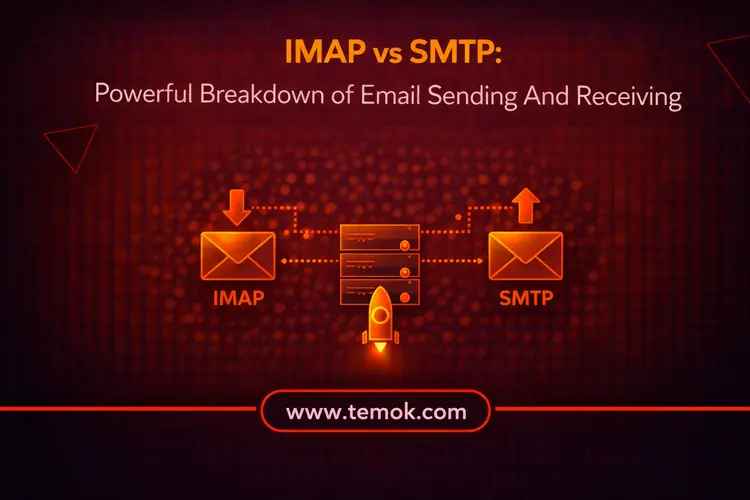

IMAP and SMTP are core email protocols that handle communication in different ways. SMTP is used to send emails from a client to a server, while IMAP is used to receive and sync emails across devices. Together, they ensure smooth and reliable email delivery and access.
Introduction
Sending and receiving emails have now become an integral part of the enterprise world. Do you know that there are more than 3.13 million emails sent per second? Behind this huge stack of emails, there are some protocols available that work silently in the background. These protocols make sure that the email reaches its final destination without any hesitation. Moreover, these protocols also ensure that the incoming emails land safely in your mailbox. However, IMAP vs SMTP are two main protocols you must have encountered if you have ever tried to set up a business email account or troubleshoot the mail configuration.
Knowing the difference between SMTP vs IMAP or other email related protocols is more than simply a technical exercise; it has a direct influence on your data storage, business correspondence management, and email communication reliability.
Keep reading and exploring to learn what does IMAP mean and also SMTP, and the main SMTP vs IMAP difference in 2026.
What is IMAP vs SMTP?
Before jumping into the main SMTP vs IMAP comparison, let’s understand these email related protocols.
What Does SMTP Mean?
The SMTP (Simple Mail Transfer Protocol) is an Internet protocol for transmitting emails. It outlines the process by which the message travels from the sender to the email server.
Mail transfer agents (MTAs) also utilize SMTP to facilitate email transfers between various servers and computer networks. We refer to this procedure as mail relaying.
RFC 5321 defines the most recent version of SMTP, updating previous versions like RFC 821. When deciding whether to use IMAP vs SMTP, it’s important to remember that SMTP is about sending emails, therefore if you wish to support email sending within your application, you should use SMTP rather than IMAP.
Also Read: IMAP vs POP3: Ultimate Comparison For Smart Email Management
How Does SMTP Work?
- A Transmission Control Protocol (TCP) connection, often known as TCP/IP, is established between an SMTP client and the SMTP server.
- In response, the SMTP server sends an opening message (code 250), sometimes referred to as the “SMTP handshake,” and a greeting (code 220).
- Using a HELO command, the client identifies itself and provides the server with information like its IP address and email address.
- Email headers and contents are delivered from the client to the SMTP server when the server replies with code 250 once more, initiating the email transmission step.
- If the transaction is successful, the server shuts the transmission channel, and the SMTP email client initiates the connection termination.
What Does IMAP Mean?
IMAP (Internet Message Access Protocol) is the protocol that retrieves email messages from a mail server and synchronizes them across various devices. IMAP draws messages from the server to your mail client, as opposed to SMTP, which pushes messages forth. Importantly, instead of downloading and erasing the original messages locally, IMAP keeps them on the dedicated server.
IMAP was created to address a basic problem: how can you access the same email account from several devices without losing messages or running into synchronization problems? The solution exists in IMAP’s server-side storage paradigm.
Every activity appears uniformly across all platforms, whether you receive an email in the morning on your smartphone, respond to it on your laptop at midday, and archive it from a tablet at night. Let’s discuss how does IMAP works before discussing IMAP vs SMTP comparison.
How Does IMAP Works?
- IMAP uses a set of instructions to define the connection between a client and the server.
- The email server is connected to by the recipient’s email client.
- Through the mail client, the receiver may view and control the message headers that are displayed.
- A copy of a message that the receiver wishes to open is stored by the IMAP port.
- When a client disconnects or goes offline, the transmission channel is closed.
Also Read: Gmail For Business: Simplify Email And Workflow Management
IMAP vs SMTP: Key Differences

Now, without further waiting, let’s discuss the IMAP vs SMTP difference so that you can better understand what is a IMAP email account.
Complementary Protocols That Address Different Email Ends
The two primary email protocols, SMTP vs IMAP are built for different stages of the email delivery process and work together rather than against each other.
IMAP controls incoming email access, enabling users to retrieve, organize, and sync messages across multiple devices simultaneously. At the same time, SMTP handles outgoing email, pushing messages from your email client through to the recipient’s mail server. Each protocol has its own dedicated ports and follows completely different data flow paths.
In actuality, both protocols are always used concurrently by your email setup. SMTP manages the delivery of each email you send. IMAP takes care of the retrieval each time you check your mailbox. They each do a different task within the same email infrastructure while working in parallel. Moreover, if you want a professional stance, register your .email domain today and make yourself visible.
Different Ports
SMTP Ports
Port 25
The original and common port used for message relaying between email servers and SMTP interactions. Many cloud hosting companies and email programs, including Gmail, Microsoft Outlook, Thunderbird, Yahoo, and others, block it to stop spam.
Port 465
Despite being registered by the Internet Assigned Numbers Authority (IANA), this port, which was originally intended for SMTPS (SMTP over SSL), is not in compliance with the RFC and has never been acknowledged as an official SMTP transmission route.
Nevertheless, some services continue to utilize it for SMTP over SSL/TLS connections.
Port 587
When used in conjunction with STARTTLS to upgrade the connection to a secure one with TLS encryption, port 587 which is a reliable port for email client submissions to the email server—is perfect for protecting email data while you send it. This makes IMAP vs SMTP different from each other.
It’s crucial to remember that the majority of mail servers today support this port.
Port 2525
Despite being an unauthorized SMTP port, port 2525 is supported by all email service providers. Since it is just as safe as 587, many choose it over 587 when 587 is giving them trouble.
IMAP Ports
Port 143
The default port, 143, is less secure because it isn’t encrypted. This implies that during transmission, usernames, passwords, and other private data are susceptible to cyberattacks.
Port 143 is a common tool in internal networks, where encryption is not a major issue, since it is inappropriate for external networks due to its lack of security.
Port 993
The more popular and secure of the two IMAP ports is port 993, sometimes referred to as IMAPS. It permits communication via an SSL/TLS connection, protecting any private information while it is being transmitted.
Nowadays, the majority of webmail service providers and customers use port 993.
Functionality
The essential functionality of IMAP vs SMTP is where they diverge most. Users can access, read, and arrange emails stored on a mail server thanks to IMAP’s email retrieval and management features. It serves as a link between the user and their inbox.
However, email transmission is handled via SMTP. It guarantees that messages are transmitted correctly from the sender’s client to the mail server of the receiver. SMTP does not handle message storage and inbox management. Rather, it is only concerned with effectively and consistently delivering messages.
With each protocol managing a distinct aspect of the communication process, this clear separation of duties guarantees that email systems stay efficient and well-organized.
Device Synchronization
One of the biggest benefits of IMAP is synchronization. All devices linked to the same account automatically update when you read, remove, or transfer an email using IMAP. This makes it ideal for contemporary consumers who utilize tablets, computers, and smartphones to access emails.
There are no synchronization capabilities available with SMTP. It plays no part in ensuring consistency across devices because it is not involved in email retrieval or management. After the email is successfully sent, it is no longer responsible.
Because of this distinction, IMAP is crucial for keeping an ordered and current inbox across several platforms.
SMTP Vs IMAP: Which Email Protocol Should You Choose?

The trouble about SMTP is that you can’t truly pick between the two protocols because they function together.
When you send an email, SMTP transfers it from your email customer to an email server. The message is then sent over SMTP to the recipient’s email server, where it is retrieved via IMAP by their email client.
As a result, the two procedures are almost inseparable.
FAQs (Frequently Asked Questions)
How Do I Find My SMTP And IMAP Settings?
In Outlook, select File. Then, go to Account Settings > Account Settings. On the Email tab, double-click the account that you wish to link to HubSpot. Your incoming mail server (IMAP) and outgoing mail server (SMTP) names are listed under Server Information.
Is IMAP Better Than SMTP?
SMTP is crucial for transmitting, while IMAP is superior for synchronizing mailbox structure; hence, they are complements rather than rivals.
Does IMAP Allow You To Send Emails?
No, IMAP (Internet Message Access Protocol) does not send emails; it is just intended for receiving and handling incoming emails across various devices, providing folder synchronization and read status.
Is My IMAP Password The Same As My SMTP Password?
Yes, your SMTP (outgoing) and IMAP (incoming) passwords are often the same.
Conclusion
Understanding how IMAP vs SMTP work together provides your company with the foundation it requires for secure and efficient email communication. SMTP is responsible for outbound message delivery, while IMAP handles incoming mail and keeps your inbox consistently synchronized across multiple devices.