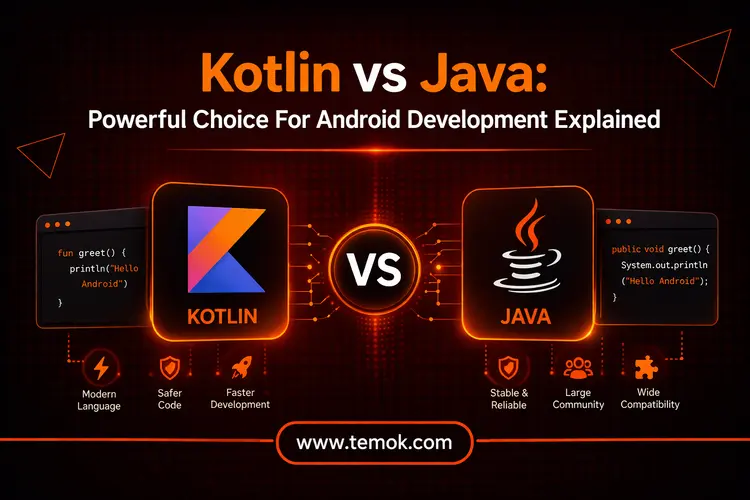

When developers evaluate Kotlin vs Java for Android development, their assessment focuses on which programming language provides superior productivity and maintainability and contemporary development capabilities. Java exists as an established programming language which enterprises use throughout their systems whereas Kotlin provides developers with enhanced efficiency through its brief syntax and integrated null safety feature.
Introduction
When it comes to Android app development, the programming language you use may have a big influence on the application’s efficiency, performance, and maintainability. Java has been the favorite language for Android development for many years. However, Kotlin has become a formidable competitor since it was first introduced by JetBrains in 2011 and officially adopted by Google in 2017. Therefore, understanding Kotlin vs Java is necessary in 2026.
Java indeed lost the Android struggle to Kotlin, which is currently Google’s preferred language and hence more suitable for new mobile apps. However, Kotlin versus Java both have numerous advantages as general-purpose languages. Thus, it’s critical for developers to comprehend the distinctions between the two languages for things like switching from Java to Kotlin.
Keep reading and exploring to learn the key difference between Kotlin and Java. Moreover, we will also find out why is Kotlin better than Java in 2026.
Java vs Kotlin: Understanding the Languages
Before we get into a Kotlin versus Java comparison, let’s understand each language so you can understand if you are a beginner.
What is Java?
Java is a computer language that has been around since the mid-1990s and is both strong and adaptable.
Think of it as a tool that enables you to develop everything from large-scale business systems to mobile apps. It is popular for its “write once, run anywhere” code, which allows you to create Java code on one device and have it execute without needing to be modified on any other device that supports a Java Virtual Machine (JVM).
Java language is comparable to the sturdy workhorse of the programming industry; it is stable, dependable, and utilized in various applications worldwide. Java is ubiquitous, subtly controlling everything from modern financial systems to Android apps on your phone. Let’s discuss the pros and cons of Java before getting into the Kotlin vs Java comparison.
Pros of Using Java
- The development of Java Android apps is simple to comprehend and learn.
- Compatible with the creation of native cross-platform applications.
- Java is essential to Android itself.
- Run everywhere after writing it once. The most flexible language is Java. It enables developers to work on different operating systems and reuse code.
- Compared to Kotlin, Java has a quicker process for building.
- Because Google used the Java Virtual Machine (JVM) for Android, the Java ecosystem is primarily open source.
- Java reduces overhead while creating large projects because of its Gradle-oriented fast assembly.
- Compared to Kotlin, Java programs are typically lighter and more compact. This appears from the fact that Kotlin development creates intricate structures that reduce overall productivity.
Cons of Using Java
- Comparatively sluggish and memory-intensive.
- Java development requires more code drafting due to its verbose nature, which explains both faults and defects.
- Java’s limitations cause issues with Android API architecture.
What is Kotlin?
JetBrains designed Kotlin, one of the general-purpose and good programming languages to learn, in 2010. It was formally published in 2016. It was created to solve Java’s constraints and provide a more secure, compact, and expressive language for application development, while being completely compatible with Java. In 2019, Kotlin was named the recommended language for Android development, with first-rate support from Google.
The Kotlin programming syntax was designed to be a more compact, efficient, and readable alternative to Java, yet it is fully functional and could have been used concurrently. Kotlin has lately gained popularity, with major companies including Netflix, Google, Amazon, and Twitter employing it. Now, let’s discuss the pros and cons of Kotlin before getting into the Kotlin vs Java comparison.
Pros of Using Kotlin
- Kotlin produces better code by doing away with the need to introduce raw data types.
- Installing your plugin is all that is required to make the switch from Java to Kotlin.
- ClassCastException cannot reduce verbosity and take Kotlin advantages over Java of code security.
- Developers can create better APIs with cleverly extended functionalities.
- Kotlin nevertheless has the concision that Java Development lacks, even when readability takes precedence over precision.
- From the start, Kotlin developers have focused on maximizing efficiency by improving current knowledge and adding new features that make it the best option for all Android app development firms.
- Kotlin comes with built-in null safety. Android development issues are mostly caused by the well-known NullPointerException. Android utilizes null to indicate that a value is missing; however, null may easily destroy an application.
Cons of Using Kotlin
- It reduces overall speed by creating complex structures.
- In comparison with Java projects, auto-complete tools are less effective.
- Because Kotlin is a small community, you will have to put up with the inconvenience of deciphering any bugs on your own.
Also Read: Computer Programming Jobs: 30 Ultimate Interview Questions And Answers
Kotlin vs Java: Key Differences Explained
Before discussing the difference between Kotlin and Java in detail, let’s look at a quick comparison table:
| Feature | Kotlin | Java |
|---|---|---|
| Syntax | Concise & modern | Verbose & structured |
| Null Safety | Built-in null safety | Prone to NullPointerException |
| Coroutines | Native support | Uses threads (complex) |
| Performance | JVM-based (similar) | JVM-based (similar) |
| Functional Support | Strong (lambdas, HOFs) | Limited (Java 8+) |
| Compatibility | Fully interoperable | Limited to other languages |
| Best Use | Android & modern apps | Enterprise & backend systems |
Now we will explain Kotlin vs Java key differences so that you will better understand the main distinction between the two.
1. Syntax
Let’s discuss grammar and contrast the appearance of similar functions, such as a sum function, in Kotlin and Java:
public class Main {
public static void main(String[] args) {
int result = sum(6, 64);
System.out.println(“The total is ” + result);
}
public static int sum(int a, int b) {
return a + b;
}
}
The syntax for the most basic main function and a sum method that takes two integers and returns their total are shown above.
As you can see, Java has a rather lengthy syntax, in part due to the fact that it is an object-oriented language and that developing methods (functions) necessitates providing all information. However, because every aspect is described in the code, this also makes Java’s grammar more plain, making it simpler for other developers to comprehend what is written.
Let’s now examine the syntax of Kotlin:
fun main() {
val result: Int = sum(5, 31)
println(“The sum is $result”)
}
fun sum(a: Int, b: Int): Int {
return a + b
}
As you can see, Kotlin also enables functional programming, which contributes to its visually clearer syntax. This results in a somewhat different code style. For instance, the main function itself is significantly simpler, and we don’t need to declare a Main class to start the program. We just write the necessary logic and define the primary function between Kotlin vs Java.
2. Support For Coroutines
Java’s CPU-intensive multiple-thread operations allow complex calculations to run in the background. However, if handled improperly, managing several threads might get complicated.
However, because Kotlin supports Coroutines, web developers may stop an existing process without having to start it over.
3. Null Safety
The NullPointerException (NPE) is one of Java’s most frequent problems. Java permits variables to be null, which, if improperly handled, can result in runtime problems. The Optional class was added in Java 8 to solve this issue, although Kotlin’s approach works better.
On the other hand, Kotlin addresses the null safety issue at the language level. Types in Kotlin are not nullable by default, unless a variable is specifically defined as nullable using the?, you cannot give a null value to it. operator. This feature strengthens the code and drastically lowers the probability of NPEs.
4. Java vs Kotlin Performance
Because both Kotlin vs Java use the JVM to convert code into bytecode, their performance is quite similar. This explains why the languages are so similar and frequently used in tandem. Kotlin makes it possible to use Java code and libraries without having to rewrite them. Therefore, Kotlin classes and code may be used within Java, although that is not the main goal here.
It is difficult to choose a winner in this case because both programming languages are excellent at handling optimization. Therefore, we’ll let people choose what works best for them in the end.
Also Read: Web Developer Salary: Latest Facts And Trending Technologies
5. Functional Programming Support
Kotlin encourages clear, reusable, and predictable code by providing first-rate support for a functional programming language. The language is deeply embedded with higher-order functions, lambdas, extension functions, and permanence.
Despite the addition of functional concepts in Java 8, Java’s syntax and flexibility are still inferior to Kotlin’s. Kotlin is a better match for teams using contemporary Android architectures (MVVM, Clean Architecture).
6. Compatibility
Java offers plenty of libraries, frameworks, and tools because it has been a part of the Android ecosystem for a long time. However, incorporating additional languages into a Java project might be difficult due to Java’s restricted compatibility with other types of programming languages.
However, because Kotlin and Java are completely compatible, developers may easily incorporate Kotlin into already-existing Java applications. Moreover, this implies that there won’t be any interruptions when you progressively switch your codebase to Kotlin. Kotlin is a flexible option for Android development as it can utilize Java libraries and frameworks.
7. Use Cases
This is the final noteworthy distinction between “Kotlin vs Java Syntax.” The most widely used and adaptable JVM programming platform for a variety of tasks, including standalone and backend applications, is Java. Nevertheless, Kotlin has become the preferred choice among developers for creating Android applications.
Both languages provide a great deal of flexibility and the potential to create excellent applications that satisfy the needs of every user.
Kotlin vs Java: When to Choose Each

The decision between Kotlin versus Java ultimately comes down to your personal requirements and tastes. Each has advantages and disadvantages.
Choose Java if:
- You have a sizable existing codebase and are working on a legacy project.
- You like a language with a strong community and an established environment.
- You don’t want to learn a new language since you are at ease with Java’s verbosity.
Choose Kotlin if:
- You want to take advantage of contemporary language features when you begin a new project.
- You appreciate enhanced developer efficiency, null safety, and succinct syntax.
- You desire to future-proof your Android programming abilities, as Kotlin is becoming the preferred tool for Android development.
Is Kotlin Better Than Java?
Java is the most famous programming language that offers developers a wealth of open-source tools and libraries. Nevertheless, no language is perfect, and even Java has some issues that can make a developer’s job tiresome. If anything, Kotlin will improve the Java environment overall and provide answers to common programming problems.
Kotlin has evolved into a far more reliable and consistent development option for Android Studio over time. Additionally, several engineers appeared to think that Java will be replaced for Android development in the upcoming years. Other experts observe that Java and Kotlin coexist without one dominating the other.
FAQs (Frequently Asked Questions)
Does Netflix Use Java Or Kotlin?
Netflix is a master class on large-scale backend engineering. Java powers a complex infrastructure that underpins the smooth playback, customized suggestions, and cross-device consistency. Java powers much of Netflix’s backend operations.
Is Kotlin Going To Replace Java?
Java is still the industry standard for business and backend systems, while Kotlin is the preferred option for Android and mobile-focused applications.
Should I Learn Kotlin In 2026?
Your professional objectives and existing programming skills are the main factors that determine whether you should study Java or Kotlin first. Despite being fully compatible and first-class languages for the Java Virtual Machine (JVM), they cater to distinct main markets.
Does Google Use Kotlin?
Indeed, Google has made Kotlin the default, suggested language for Android development, and utilizes it frequently.
Conclusion
Kotlin vs Java both have special benefits that satisfy different software development needs. Java is a great option for big data technologies, online services, and extensive business applications because of its reliability, extensive ecosystem, and cross-platform capabilities. Moreover, it is the preferred language for high-performance backend systems and conventional corporate settings. Conversely, Kotlin’s current syntax, little boilerplate code, and smooth Java compatibility have made it popular for Android development.