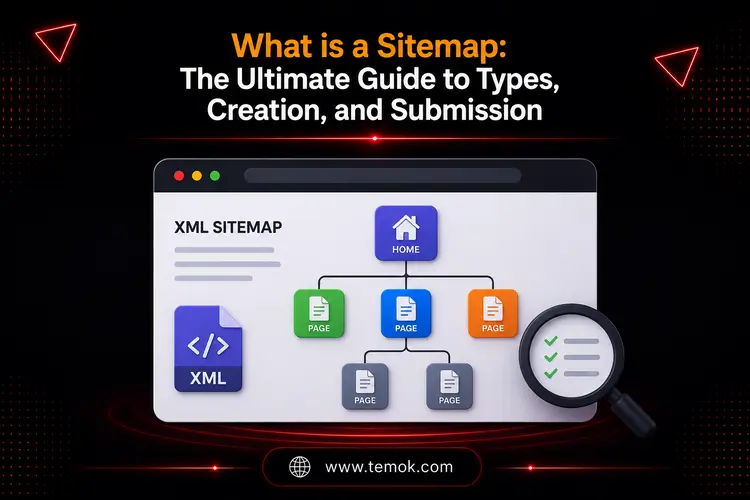

A sitemap is a file that allows search engines to more efficiently identify, crawl, and index the relevant pages on your website. It serves as a blueprint for better content discovery, crawl coverage, and general SEO performance.
Key Takeaways
- Websites may function without sitemaps, but they assist in reaching audiences and improving the user experience.
- Sitemaps can help search engines choose which pages to index by functioning as a collection of suggestions.
- Sitemaps are essential tools for designing and assessing your website’s structure, providing information that no other technique can match.
- An XML sitemap is like a file that search engine bots can read. An HTML sitemap is a visible, user-friendly document that assists humans in navigating your website. You should have both.
- WordPress plugins such as Yoast SEO and Rank Math create, update, and manage sitemaps when content changes.
- Submitting your sitemap using Google Search Console allows search engines to identify fresh material faster and monitor crawling difficulties.
Introduction
Imagine creating a beautiful website with good content, useful tools, and vital pages, only to discover that search engines are having trouble finding them. No matter how hard you work on generating content, upgrading design, or optimizing speed, your website will not reach its full potential if search engines are unable to quickly explore and understand its structure. This is where understanding what is a Sitemap becomes critical.
A sitemap serves as a blueprint for your website. It assists search engines in discovering pages, understanding site hierarchy, and identifying indexed material. Whether you operate a personal blog, an eCommerce store, a company website, or a massive enterprise platform, a sitemap may assist in enhancing exposure and search engine optimization.
Many owners of websites think Google will find every page on its own. Even though search engines have advanced significantly by 2026, they still require clear instructions. A well-structured sitemap guarantees that important content is not overlooked.
Keep reading and exploring to learn about the sitemap definition, purpose in website development, different types, and how to create and submit a sitemap to Google.
What Is A Sitemap And Why Is It Important?
A sitemap is a file that identifies all of your website’s essential pages and tells search engines where to locate them.
The best search engines, such as Google, examine this file to crawl your site more intelligently. It’s a formal blueprint you give crawlers that tells them what material you have, what’s most significant, and how recently you changed it.
Instead of forcing search engines to find every page only through internal links, a sitemap gives a direct list of URLs that website administrators want search engines to crawl and index.
When addressing what is a sitemap, it is critical to recognize that sitemaps are not only for search engines. They can also assist users in navigating big webpages and organizing them more effectively.
A sitemap can contain:
- Website pages
- Blog posts
- Product Pages
- Images
- Videos
- News content
- Category pages
A sitemap for SEO data helps search engines like Google and Bing better analyze the structure of a website.
Why is it Important?
Here are the reasons why sitemaps are important for websites:
Faster Content Discovery
A sitemap assists search engines in discovering new pages more quickly.
This is particularly crucial for:
- News websites
- New or Updated Blogs
- eCommerce platforms
- Business websites
Quicker content discovery leads to speedier search results.
Improved Crawling Efficiency
Search engine bots have limited crawling capabilities.
A sitemap helps to prioritize key pages and enhances crawling performance.
Instead of spending energy on irrelevant URLs, search engines may concentrate on useful material.
Indexing “Orphaned” Content
We all strive for a great internal linking structure, yet sometimes pages become “orphaned.” These are pages that exist on your website but have few or no internal links leading to them.
A sitemap serves as a safety net, ensuring that Google can continue to discover and crawl these pages.
Better Index Coverage
Improved index coverage is a significant advantage of using a sitemap for SEO.
Websites frequently feature pages that are difficult to find using standard navigation.
- Examples include:
- Archived content
- Deep category pages
- Product Variations
- Landing Page
A sitemap helps to keep these pages available to search engines.
Enhanced SEO Performance
Although a sitemap is not a direct ranking factor, it helps with crawling, indexing, and content discovery.
This makes it a critical component of any current SEO strategy. Let’s now discuss what is a sitemap used for.
What is a Sitemap Used For? The Real Purpose Behind It

Many website owners generate sitemaps because they read somewhere that they should. Understanding the purpose of a sitemap, on the other hand, helps you realize why it is important for your online success.
Here are the main things a sitemap accomplishes for your website:
It Allows Search Engines To Find All Of Your Pages
Not every page on your website is easy to find using Google. If no other pages link to a page, Google may never locate it during routine crawling. A sitemap ensures that every relevant page is visible, including those that sit quietly in a corner with no internal links.
It Speeds Up Indexing Of New Information
When you create a new blog post or product page, you want Google to index it immediately. A sitemap that refreshes automatically puts new URLs on Google’s radar immediately, resulting in quicker indexing and rankings.
It Informs Google About Content Updates
The sitemap has a “last modified” tag, which indicates when a page was updated. This encourages Google to re-crawl the revised page and include the new material in search results.
Also Read: What is Google Page Rank & How To Increase it?
It Helps The Sitemap Definition Purpose In Website Development
A sitemap also functions as an internal planning document throughout the design process, assisting teams in determining how pages relate to one another before building begins.
It Boosts Your Overall SEO Health
A tidy, well-structured sitemap indicates to Google that your website is well-organized and properly managed. This is important because technical SEO signals impact how Google analyzes and ranks your website.
In the next section on understanding what is a sitemap, we will discuss its different types.
What Are the Different Types of a Sitemap?
When it comes to sitemaps, there is no one-size-fits-all approach. Different types of sitemaps serve unique objectives and support a variety of content forms.
Let’s look at the most frequent sorts of sitemaps, as well as their specific benefits and applications:
1. XML Sitemaps
XML sitemaps are widely used, and they serve as a roadmap for traditional search engine crawlers to navigate and index your website.
They are XML (eXtensible Markup Language) files that provide a well-structured list of your site’s URLs as well as additional metadata.
Assume you run a travel blog.
Your XML sitemap might involve links to all of your blog posts, as well as metadata such as the most recent modified date, priority, and frequency of updates.
This data helps search engines determine the importance and freshness of each page.
This is an introduction to XML sitemaps in their most practical form: a file hosted on your server, often located at yourdomain.com/sitemap.xml, that Google analyzes on a regular basis to keep up with your content.
2. HTML Sitemaps
An HTML sitemap represents a visible page on your website that displays your pages in a user-friendly format. You’ve probably seen these on huge websites, frequently linked in the footer. They resemble a large, well-organized list of the site’s key sections and pages.
While HTML sitemaps are less important for SEO than XML sitemaps, they do improve user experience by assisting visitors in finding the material they are looking for. They are especially useful for large sites when the navigation menu cannot display everything.
So, what is a sitemap in the UX design process? The HTML sitemap is the version that UX designers are most concerned with. A sitemap is another planning tool used in user experience design before developing a website.
Designers build a visual sitemap diagram that depicts each page of a website and how they relate to one another. This is not a Google-submitted file. It is a plan that defines the site structure from the ground up.
3. Image Sitemaps
Image sitemaps focus on the photographs on your website.
They provide search engines with information about each image URL, including its location, description, title, and licensing.
The important tags contain:
- <image:image>: It is the container for image information.
- <image:loc>: Specifies the URL of the picture.
- <image:caption>: Caption of the image
Assume you have a photography blog website where you display your nature photographs.
Your photo sitemap will contain information about each image, such as its URL, alt text, description, and relevant tags.
This helps search engines deeply analyze the content and context of your photos, which increases their visibility in image search results.
4. Video Sitemaps
Video sitemaps assist search engines in finding and indexing video content on your website.
They give information on each video, including the URL, title, description, total duration, and thumbnail URL.
Key video tags include:
- <video:video>: Indicates the container.
- <video:thumbnail_loc>: Specifies the URL of the thumbnail image. (Required)
- <video:title>: Displays the video’s title. (Required)
- <video:description>: Provides a video description. (Required)
For example, if you have a travel blog with instructional videos, your video sitemap should include information about each video you have published.
The video title, a brief overview, and the URL where the video may be found are all provided.
It enables search engines to accurately index your videos and display them in video search engine results. Therefore, you must deeply understand what is a sitemap as a website owner.
5. News Sitemaps
News sitemaps are generally intended for websites that include news items or information.
They use a slightly different structure than typical XML sitemaps and include information such as the article’s publishing date and keywords. If you have a news site or blog that publishes often, you should create a news sitemap.
Assume you operate a news website that covers a wide range of topics. Your news sitemap would contain the URLs and information for each news piece, including the title, publication date, and relevant keywords.
6. Sitemap Index Files
A single sitemap file has a maximum of 50,000 URLs or 50MB, whichever comes first. Most websites will never reach this limit. However, if you own a huge eCommerce company or a popular blog, you will.
The answer is to use a sitemap index file. This is just a “sitemap of sitemaps.”
Instead of sending 10 distinct sitemap files to Google, you submit a single sitemap index file. That index file then directs Google to all of your other sitemaps (post-sitemap.xml, page-sitemap.xml, and product-sitemap.xml).
This is a common technique among all recent WordPress SEO plugins.
An Introduction to XML Sitemaps

When addressing what is a Sitemap, XML sitemaps require particular consideration because they are the most widely used format for SEO.
XML sitemaps offer machine-readable instructions to search engine crawlers.
They inform the search engines:
- Which pages exist?
- What pages are important?
- When was the content last updated?
- How frequently does content change?
Most websites should develop and maintain an XML sitemap.
In the next part, we’ll look at how XML sitemaps function, what a sitemap generator performs, and how to construct one for any website.
How XML Sitemaps Work?
An XML sitemap is a machine-accessible file containing a list of your website’s essential URLs. This file is regularly examined by search engines like Google and Bing to find updated pages, fresh content, and structural changes to the website.
A typical XML sitemap contains:
- URL Location
- Last modification date
- Change frequency
- Page Priority
When web crawlers examine your sitemap, they see a clear path to the material you want indexed. This enhances crawling performance and allows search engines to better comprehend your page.
XML Sitemap vs HTML Sitemap: What’s the Difference?
Many newcomers confuse XML with HTML sitemaps.
While both are known as sitemaps, they serve distinct audiences. Here is a quick comparison table so that you can better understand the main difference between the two:
| Feature | XML Sitemap | HTML Sitemap |
|---|---|---|
| Primary Purpose | Search Engines | Website Visitors |
| Format | XML | HTML |
| Visible to Users | Usually No | Yes |
| SEO Benefits | High | Moderate |
| Navigation Support | Limited | Strong |
| Search Engine Crawling | Excellent | Helpful |
Most websites benefit from an XML sitemap; bigger sites may also employ HTML sitemaps to facilitate navigation.
In the next section, What is a Sitemap Guide, we will explain how to create a sitemap with three simple-to-follow methods.
Also Read: 12 Ways To Boost Your SEO With Website Speed Optimization
How to Create a Sitemap? 3 Simple Methods
Here are the 3 simple methods from which you can create a sitemap for WordPress or even other websites:
Method 1: Using WordPress SEO Plugins
This is by far the simplest approach if your website runs on WordPress. Plugins like Rank Math, All in One SEO and Yoast SEO produce a sitemap for you as soon as you install them. They also automatically update the sitemap as you publish, change, or delete material.
With Yoast SEO applied, your sitemap is displayed at yourdomain.com/sitemap_index.xml with no need for any additional configuration. You may choose which post types and taxonomies display in the sitemap directly in the plugin settings. This takes roughly two minutes and is suitable for most websites.
Using Yoast SEO
If you’ve installed Yoast SEO, you’re almost there.
- Navigate to Yoast SEO > General > Features.
- Scroll down to XML sitemaps and toggle it
- To get your sitemap URL, click the “?” symbol and then “See the XML sitemap.” The URL is nearly always http://mydomain.com/sitemap_index.xml.
Using Rank Math
Rank Math also allows this by default.
- Navigate to Rank Math > Dashboard.
- Enable the Sitemap module.
- To discover your URL (e.g., mydomain.com/sitemap_index.xml), go to Rank Math > Sitemap Settings and customize what’s there.
Method 2: Using An Online Sitemap Generator
If you don’t use WordPress or want a quick sitemap without installing software, internet sitemap generators are a viable solution. You enter your website’s URL, and the program generates an XML sitemap file that you can download and publish to your server.
What is a sitemap generator? It is an online or software-based tool that generates a sitemap file by scanning your website’s pages and appropriately organizing them for search engines.
Here are a few recommendations:
XML Sitemaps
- Yoast SEO (WordPress plugin)
- Screaming Frog SEO Spider
- Google Sitemaps
HTML Sitemaps
- Slickplan
- DYNO Mapper
- Sitemap Generator (WordPress plugin)
Image Sitemaps
- Screaming Frog SEO Spider
- Google Search Console’s Image report
Video Sitemaps
- Google Search Console
- Yoast SEO (WordPress plugin)
News Sitemaps
- Google News Publisher Center
- Yoast SEO (WordPress plugin)
Method 3: Creating a Sitemap Manually
For small websites with just a few pages, you may create a sitemap by hand. To do this, you must write the XML code yourself and send it to your web server. Here’s how a basic XML sitemap looks:
<?xml version=”1.0″ encoding=”UTF-8″?>
<urlset xmlns=”http://www.sitemaps.org/schemas/sitemap/0.9″>
<url>
<loc>https://yourwebsite.com/</loc>
<lastmod>2026-06-01</lastmod>
<changefreq>weekly</changefreq>
<priority>1.0</priority>
</url>
<url>
<loc>https://yourwebsite.com/about/</loc>
<lastmod>2026-05-15</lastmod>
<changefreq>monthly</changefreq>
<priority>0.8</priority>
</url>
</urlset>
The location of the page, the most recent modification date, the frequency of modifications, and the page’s priority in relation to other pages may all be found in each URL entry. For small websites, manual production is sufficient; however, an automated tool or plugin is much more helpful for websites with more than 20 or 30 pages.
How to Submit a Sitemap to Google?
Once your sitemap is in place, send it to search engines. The simplest method to accomplish this is via Google Search Console. Here are the actions to take while understanding what is a sitemap:
Step 1: Set up Google Search Console
If you haven’t already set up Google Search Console, go to search.google.com/search-console and submit your website. You’ll need to confirm that you own the domain name, which Google will lead you through step by step.
Step 2: Find Your Sitemap URL
If you’re using a WordPress plugin, the URL is often yourdomain.com/sitemap.xml or yourdomain.com/sitemap_index.xml. You may check by entering the URL straight into your browser. If you see a page with XML code, that is your sitemap.
Step 3: Submit the Sitemap
Go to the Sitemaps option from the menu on the left in Google Search Console. Click Submit after entering the URL of your sitemap in the blank space. After verifying the submission, Google will start indexing your sitemap.
Step 4: Monitor the results
Google Search Console will provide the quantity of URLs found and indexed following the submission of your sitemap. A disparity between discovered and indexed pages might point to issues with the quality of the material that need further research.
You should also upload your website sitemap to Bing Webmaster Tools using the same approach, as Bing continues to deliver significant search traffic in many areas.
Sitemap Best Practices For SEO in 2026

When discussing what is a Sitemap in SEO, the goal is to assist search engines in better comprehending website content. Here are some of the best practices you may use when developing a sitemap for SEO:
1. Focus on Key Pages
It is vital to prioritize the inclusion of relevant pages while creating your sitemap.
You can ensure that search engines read and index the most important content on your website by focusing on critical pages that provide value to users.
2. Effective Content Organization
Categorize your content efficiently to enhance the organization and accessibility of your sitemap.
Within the sitemap, organize essential pages into logical divisions that match the structure of your website. This makes it easy for search engines and consumers to navigate your website.
3. Automate Sitemap Creation And Submission
To make the process easier, employ sitemap-generating tools or plugins.
These apps will automatically generate the sitemap for you, ensuring accuracy and efficiency. Once your sitemap is ready, submit it to the Google Search Console to alert the search engines of its availability.
4. Prominently Display Your Sitemap
To ensure that the best search engines and users can easily reach your sitemap, include it on the homepage as well as in the root directory.
This makes it easily discoverable and allows search engines to locate and crawl your sitemaps swiftly.
By prominently showing your sitemap, you aid the indexing process, leading to more visibility in search engine results.
5. Keep Each Sitemap Below 50,000 URLs
Google allows only a maximum of 50,000 URLs per sitemap file. If your website is larger than that, utilize a sitemap index file, which is a sitemap that links to several smaller sitemaps.
6. Use Dynamic Sitemaps for Larger Websites
Consider using dynamic sitemaps for huge websites with a lot of pages or often updated content.
Dynamic sitemaps generate and update XML files based on changes in your website’s structure and content.
This guarantees that search engines have the most recent information about your website, which leads to more precise indexing and exposure.
7. Identify Indexing Issues
Regularly monitor your sitemap for any indexation difficulties that may arise.
Keep a watch out for crawl issues, warnings, and unindexed pages.
Sure, noticing and fixing these kinds of issues can help search engines crawl and then index your site more properly, which boosts your website’s visibility in a real way.
8. Use the Lastmod Tag Appropriately
Only update the lastmod date when you’ve made significant modifications to a page. If you change this tag without modifying its content, Google will learn to disregard it, defeating the objective.
9. Include Your Sitemap URL In Your Robots.txt File
At the bottom of your robots.txt file, add the following line: Sitemap: https://yourdomain.com/sitemap.xml. It assures that any crawler, not just Google, may discover your sitemap automatically.
In the last part of this what is a sitemap blog guide, let’s discuss common mistakes to avoid while creating a sitemap.
Common Mistakes to Avoid While Creating a Sitemap
Even experienced website owners can make errors with their sitemaps, which degrade SEO and website effectiveness. Here are some of the pitfalls to avoid while constructing a sitemap:
Exclude Non-Indexable Pages
Including domains in your sitemap that you don’t want search engines to index is a common mistake.
This can happen if you don’t exclude pages such as login screens, administration pages, or duplicate content.
Ensure that your sitemap only contains the sites that you want search engines to scan and index.
Consider adding a “Thank You” page to your sitemap that visitors only view after completing a form.
This page should be deleted from your sitemap since it has no relevant content for search engines.
Include Broken Or Redirected URLs
Each URL in your sitemap should return a 200 OK code, indicating that the page exists and loads correctly. Redirected URLs, 404 error pages, and removed pages all convey conflicting signals.
Adding Pages With Thin Or Duplicate Content
If Google examines a page from your sitemap and discovers very little valuable material, it reflects negatively on your site. Only include pages that have authentic, valuable, and original content.
Failing To Submit The Sitemap
Some website owners construct a sitemap and then quit. The sitemap is only useful if Google knows about it. Submit it using the Google Search Console.
Not Checking Sitemap Errors
When Google Search Console is unable to read or access specific URLs, it will report them as sitemap problems. Check this on a frequent basis, especially following big site updates. This is a common mistake website owners make while misunderstanding what is a sitemap deeply.
Ignoring Image And Video Sitemaps
If your website relies heavily on visual information, picture and video sitemaps might help it rank higher in specialized search results.
By avoiding these mistakes and adhering to recommended practices, your sitemap may become a valuable SEO tool that aids crawling, indexing, and long-term search exposure.
FAQs (Frequently Asked Questions)
What Is A Sitemap For A Website?
A sitemap in a website is a file that includes all of the important pages, videos, and files on a website and displays the relationships between them.
What Is A Sitemap Used For?
A sitemap gives search engines crucial information about the pages and files you consider significant on your website.
How Do I Create A Sitemap?
You may generate a sitemap with SEO plugins like Yoast SEO or Rank Math, online sitemap generators, or bespoke development solutions. Most current websites produce sitemaps automatically.
What Is A Sitemap In Simple Words?
A sitemap is a file that contains information about your website’s pages, videos, and other files, as well as their relationships.
What Is A Sitemap In SEO?
In SEO, a sitemap serves as a communication medium between your website and search engines.
It helps:
- Discover pages
- Understand hierarchy
- Prioritize vital stuff
- Improve crawl coverage
- Support indexing
Is a Sitemap Necessary For SEO?
The XML sitemap is the most vital for SEO since it empowers search engines like Google and Bing to find and index your relevant web pages, even if your internal linking isn’t flawless.
Conclusion
A sitemap basically makes sure that your content is findable. It tells search engines about what you’ve got, where everything lives, and when things changed. It helps the indexing of new pages go a bit faster, it helps stop old pages from getting lost, and it gives you a tidier, more organized website overall, in the way Google sees it.
While current WordPress plugins perform most of the heavy lifting, understanding what is a sitemap, what it does, what it should (and should not) include, and how to submit it is the mark of a knowledgeable site owner.
Your sitemap is the foundation for technical SEO. Now, go to Google Search Console, view your sitemap report, and make sure your Google invitation looks as clean and professional as the website you worked so hard to create. In this blog, we’ve discussed what is sitemap meaning, sitemap definition purpose in website development, an introduction to XML sitemaps, how to create a sitemap, and lastly how to submit a sitemap to Google.
Hammad Mohsin
You need for creating and submitting a site map for your website. When it comes to getting your website ranked, you need to take advantage of as many SEO hacks as possible. Creating a sitemap is one technique that will definitely help improve your SEO strategy.