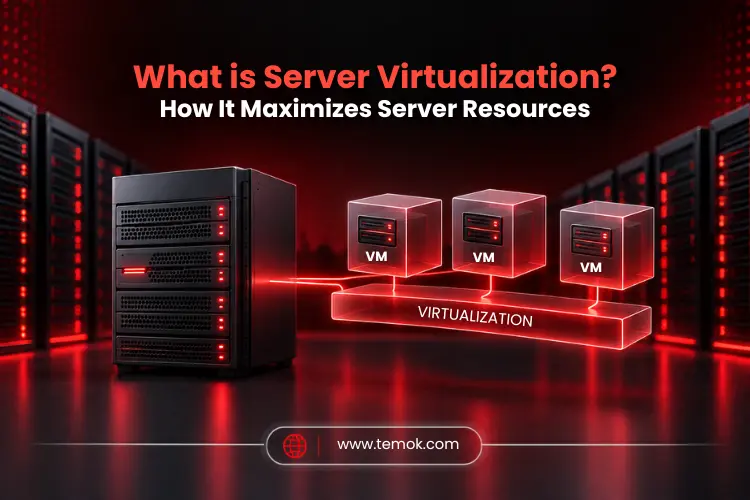

Server virtualization refers to the process in which a company or organization divides a physical server in a data center into multiple unique and isolated virtual servers by using a software application. In that case, each of the virtual isolated servers can run its own operating system individually. Understanding what is server virtualization has become very important for organizations that want to utilize existing server resources cost-effectively.
For example, an organization has bought a powerful physical server which is sitting somewhere in a data center and using only a small portion of its available CPU and memory.
Normally, the remaining unused portion would simply remain idle. But server virtualization technology changes the overall scenario by allowing that powerful server to run multiple isolated virtual environments. Therefore, this kind of approach has totally changed how organizations build and manage IT infrastructure.
Keep reading and exploring to learn more about server virtualization definition, how it works, different types, and much more.
Key Takeaways
- Server virtualization technology allows a physical server to be divided into multiple virtual environments.
- A hypervisor controls CPU, memory, storage, and networking resources between virtual machines.
- Virtualization can surely improve resource utilization, deployment speed, flexibility, and infrastructure management.
- Virtual servers aren’t necessarily faster than actual physical servers. Hardware, workload, configuration, and resource allocation all have an impact on performance.
- Virtualization is highly beneficial for many workloads, but specialized applications may still require dedicated physical hardware rather than a virtualized environment.
What is Server Virtualization?
Server virtualization is a technology that readily divides the overall resources of one physical server into multiple isolated environments. Each virtual environment can then run its own applications and operating systems while sharing the underlying physical hardware.
Understanding what is server virtualization with example is easier to understand. Let’s understand it with a simple example: Imagine an organization having a physical server with 32 CPU cores and 256 GB of RAM. However, such resources are allocated to only one application. So, instead of utilizing that machine or server for only one application, system admins can create multiple virtual machines and then allocate the resources to each virtual machine.
This increases hardware usage by allowing various workloads to share resources rather than requiring separate physical computers.
The Problem That Made Server Virtualization Necessary
Before initiating this evolution, organizations followed a basic rule: one application, one box. It looked safe because a crash in one program would not bring down another.
However, that safety came at an incredible cost, such as:
- Most servers ran at a fraction of their capacity, leaving the remainder of the computing power unused
- Every new project involved purchasing, shipping, and racking new hardware.
- Power consumption and cooling expenses increased more rapidly than the actual workload.
Physical server virtualization flipped that model. Rather than purchasing a new machine for each new task, teams began splitting up machines they already owned.
So, when someone asks what is server virtualization at a business meeting, the honest answer is that it is the fastest way to stop paying hundreds of dollars for processing power that you never use.
How Does Server Virtualization Work?
Server virtualization isolates network, storage, and computing resources, making applications, services, and functions less dependent on physical hardware.
A hypervisor allows an IT administrator to build many virtual machines on a single physical server and configure them separately. The hypervisor separates the server’s software from its hardware. It functions as a controller, organizing, managing, and allocating resources to all virtual machines on the host server.
The fundamental procedure looks like this:
Physical server → Hypervisor → Virtual machines → Applications
Each virtual machine functions as an independent computer. It may have its own operating system, programs, files, network settings, and allocated resources.
Administrators may increase or reduce resources according to workload requirements, subject to the limitations of the virtualization platform. That’s how server virtualization works.
Role of Hypervisor
A hypervisor is the software layer that creates and manages virtual computers. The server virtualization software doing all this work is actually a hypervisor. It is like a traffic controller of the whole virtualization setup. Moreover, to fully understand what is server virtualization, understanding the role of hypervisor is necessary.
A hypervisor has two types:
- Type 1 Hypervisor (Bare Metal): This type directly runs on the physical server hardware without any host operating system in the way. This is widely implemented in data centers since it is designed especially for managing and controlling virtualized environments.
- Type 2 Hypervisor (Hosted): This type of hypervisor runs as a software application on top of the host operating system, such as Windows, macOS, or Linux OS. Organizations use a Type 2 hypervisor for testing, development, training, and desktop virtualization since it does not need any dedicated server or machine for the hypervisor itself.
To learn more about hypervisors, we recommend reading our blog on What is a Hypervisor. This blog will surely help you understand all the basic and advanced functions of a hypervisor.
Why is Server Virtualization Important?
Server virtualization is important because it helps organizations use physical servers more efficiently while making the infrastructure easier to deploy, manage, and scale.
Let’s understand the importance after learning what is server virtualization.
Better Resource Utilization
Without server virtualization, servers only employ a small fraction of their computing power. This causes servers to stay idle since the burden is spread to only a subset of the network’s servers.
Data Center Overcrowding
Physical infrastructure gets overwhelmed with idle servers, resulting in a waste of resources and energy. This inefficiency results in increased operational expenses and a negative environmental effect.
Lower infrastructure costs
Using fewer physical servers can result in lower hardware costs, rack space, power consumption, cooling needs, and maintenance expenses. However, savings differ per environment; thus, virtualization should be assessed according to current workloads and infrastructure needs.
Security
Virtualization completely isolates virtual computers from one another. Installing software on one server has no influence on the program on another virtual server.
Improved backup and disaster recovery
Data backup and recovery are easier to handle on virtual servers since everything required to execute a specific program is kept in a virtualized image.
Also Read: Containerization vs Virtualization: Key Differences Explained
What Are The Different Types of Server Virtualization?

There are five types of server virtualization, which include full virtualization, para-virtualization, hardware-assisted virtualization, hypervisor-based virtualization, and OS-level virtualization.
These types differ mainly in how the virtualization layer interacts with the operating system and hardware. Let’s discuss each type to properly understand what is server virtualization:
1. Full Virtualization (hardware level)
It generates full virtual machines with their own top operating systems, which operate independently on a hypervisor. The guest OS is unaware that it is virtualized and requires no changes.
Moreover, modern hypervisors can take advantage of unique CPU features (Intel VT-x, AMD-V) to increase virtualization efficiency and safety by allowing the hypervisor to operate directly on processor-compatible hardware.
2. Para-Virtualization
Para-virtualization enables the guest operating system to connect with the virtualization layer more directly. The guest operating system often requires virtualization knowledge or customized drivers. This server virtualization type can increase efficiency in some conditions. However, it will need extra compatibility considerations.
3. Hardware-Assisted Virtualization
Hardware-assisted virtualization improves complete virtualization by utilizing processor-level extensions to lessen the hypervisor’s burden. Moreover, modern CPUs’ hardware helps to effectively handle I/O requests and privileged operations.
4. Hypervisor-Based Virtualization
Hypervisor-based virtualization is the most frequent type of virtualization in business data centers. Acting as the main abstraction layer, the hypervisor creates and manages several virtual machines on one actual server.
5. OS-level Virtualization (Containerization)
Rather than establishing several VMs, OS-level virtualization divides a single operating system into containers. These containers run as separate user instances that share the host kernel, making them lightweight and quick to set up.
Docker is the most widely used solution for this form of server virtualization, particularly in microservices and DevOps environments where programs interact via application programming interfaces.
After learning what is server virtualization and its types, let’s understand the core benefits of server virtualization.
What Are Server Virtualization Benefits?
The main server virtualization benefits are improved resource efficiency, reduced physical infrastructure, higher productivity, better disaster recovery, better IT management, testing and development, support for hybrid and cloud environments, and reduced server complexity.
Let’s discuss these benefits in detail:
Improved Resource Efficiency
Instead of allocating a whole physical server to a rarely utilized application, managers may assign only the resources that the workload actually requires. This can help companies get more value out of their existing gear.
Reduced physical infrastructure
Organizations may dramatically reduce their data center footprint by combining several virtual servers into fewer physical computers. This “higher server capacity” indicates that fewer actual servers are required to service the same or larger workload, freeing up valuable rack space and decreasing facility needs.
Higher Productivity
Deploying a new physical server might take days or weeks, but deploying a virtual machine takes only minutes. Centralized administration of virtual environments enables IT teams to respond to changes more quickly, set up environments on demand, and automate operations, resulting in speedier outcomes.
Better Disaster Recovery
Virtual machines are frequently easily back-upable, replicable, and transferable across compatible hosts. This can make recovery easier because the virtual machine contains most of the operating system required to run the program. However, it is the main advantage organizations must know when deeply understanding what is server virtualization.
Also Read: Data Virtualization: The Key to Unlocking Seamless Data Sharing
Better IT Management
Virtualized environments are more convenient and centralized than physical servers. Virtualization management systems enable administrators to evaluate performance, automate procedures, and swiftly deploy new virtual machines. Centralized management lowers administrative expenses and increases efficiency.
Testing And Development
Virtualization enables developers to quickly establish isolated test environments that match production systems, reducing the time to market for new apps and services.
Support For Hybrid and Cloud Environments
Virtual Machine (VM) images are portable. Workloads may be transferred across physical hosts, on-premises and cloud environments, and data centers without requiring reconfiguration. This type of flexibility serves as the groundwork for hybrid cloud infrastructures, which allows organizations to install and expand their system infrastructure as needed.
Reduced Server Complexity
A one-stop server virtualization solution simplifies everything as well. Every virtual server is managed and monitored from one location using a single pane of glass. This lowers the requirement for IT training and professional guidance while maintaining and operating the servers.
While understanding what is server virtualization and its benefits are, you cannot neglect the challenges an organization can face. Let’s discuss those challenges.
Challenges of Server Virtualizations
Despite the numerous server virtualization benefits, there are still certain challenges:
- Single point of failure: If the host dies and there is no clustering, all VMs on it go black.
- Resource contention: Fill up too many workloads on one host, and everything slows down simultaneously.
- Licensing complexity: Software providers sometimes charge per core, and charges may surprise you.
- Skill requirements: Someone on your team must truly grasp the platform.
- VM sprawl: Creating machines is so simple that neglected ones build up and consume resources.
Neither of these is a compelling reason to avoid virtualization. Instead, these are reasons to effectively plan it.
Server Virtualization vs Physical Servers

A virtualized environment enables several workloads to share physical hardware, whereas a traditional physical server can dedicate its resources to a single workload. Performance, isolation, workload behavior, and infrastructure needs all help to shape the best answer.
To better understand what is server virtualization and a physical server difference, look at the table below:
| Feature | Virtualized Server | Physical Server |
|---|---|---|
| Hardware | Shared by Virtual Machines | Dedicated to Workload |
| Resource Allocation | Flexible | Hardware-defined |
| Deployment | Usually Faster | Usually Slower |
| Isolation | Logical Isolation | Physical Isolation |
| Hardware Overhead | Some Virtualization Overhead | No Hypervisor Layer |
| Scaling | Create Additional VMs | Add or Upgrade Hardware |
| Best Suited For | Multiple Workloads | Specialized Workloads |
The label alone does not automatically indicate performance. A well-designed virtual environment can be incredibly efficient, yet a badly set up physical server can still waste resources.
How To Choose Server Virtualization Software?
Choosing server virtualization software entails more than just comparing feature sets. Begin with the workloads you need to manage and the talents available within your IT staff.
Consider:
- Supported operating systems
- CPU and memory management
- Storage and networking features
- Backup and recovery capabilities
- Automation Tools
- Monitoring
- Security controls
- Hardware Compatibility
- License costs
- Technical support
The surrounding management environment is equally significant. A platform that complements your existing infrastructure may be easier to maintain over time. That is the reason, you must understand what is server virtualization before choosing the right software.
FAQs (Frequently Asked Questions)
What Are the Three Main Types of Server Virtualization?
The three main server virtualization types include full virtualization, para-virtualization, and operating system-level virtualization.
Is It Better to Have Virtualization On or Off?
There is no “universal” answer for this scenario. However, for servers, “on” is nearly always the correct response. If you intend to run virtual machines or containers, you should enable the BIOS’s hardware virtualization extensions. On a personal PC with no VM workloads, turning it off makes little difference, albeit most current programs require it to be available.
How to Tell If a Server Is Virtualized?
On Linux, execute systemd-detect-virt or dmidecode -s system-manufacturer to get a vendor name such as VMware or QEMU. Open System Information on Windows and look at the fields for System Manufacturer and Model. Frequently, virtualized systems expose the hypervisor provider instead of a hardware brand.
What Are the Disadvantages of Virtual Servers?
Performance overhead, resource contention, single point of failure, licensing complexity, and VM sprawl are the disadvantages of virtual servers.
Conclusion
Server virtualization is an effective technique for distributing the resources of a single physical server across numerous separate computer environments.
Its main benefit is versatility. Organizations may use hardware more effectively, deploy workloads quicker, simplify testing, and manage infrastructure without needing a physical computer for each application. Therefore, understanding what is server virtualization becomes really crucial.
Still, virtualization is not always the best solution for every job. CPU requirements, memory, storage performance, networking, security, application dependencies, and recovery requirements must all be considered.