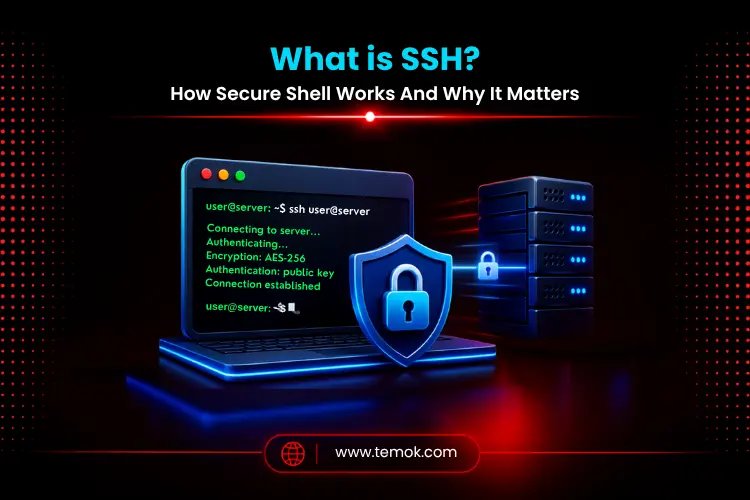

SSH stands for Secure Shell. It is a network protocol that establishes an encrypted connection between a client and a remote server, allowing for secure remote command-line interface access, file transfers, and server administration. It encrypts all data in transit, thereby replacing insecure tools like Telnet. Using password authentication or SSH key authentication, SSH verifies users by default via port 22. By 2026, it will be the go-to tool for managing Linux servers, VPS hosting, and remote connection infrastructure.
Key Takeaways
- What is SSH? It is the Secure Shell protocol, which allows for secure remote server access over an encrypted connection.
- SSH has replaced Telnet and other unsafe protocols by encrypting all instructions and data in transit.
- SSH key authentication with public key authentication and private key authentication is more secure than using a password alone.
- SSH uses the default port 22; however, altering it is a standard SSH best practice to limit automated attack attempts.
- Server administration, SSH file transfer, application deployment, SSH tunneling, and automated scripts are all common uses for SSH.
What is SSH (Secure Shell)?
SSH stands for Secure Shell, which is a network protocol that allows two computers to communicate securely across a network. It allows administrators and developers to administer servers remotely while protecting sensitive information such as users, passwords, and instructions.
Administrators used tools like Telnet to establish remote connections to systems before SSH. Telnet was functional, although it only sent plain text. Anyone keeping an eye on network traffic might see commands, passwords, and output. That was a serious problem.
Secure Shell Protocol
The Secure Shell protocol follows a client-server model approach.
In the model:
- The client is the computer that initiates the connection.
- The server is the computer that accepts the request.
- Before exchanging any data, the devices establish an encrypted connection.
Only when the server confirms the client’s identity and negotiates encryption does communication begin.
This method protects login passwords, commands, and transmitted data against interception.
Remote Command Line Access
One of SSH’s most useful features is secure command-line interface access to distant systems.
Instead of physically visiting a server or using unsafe remote access methods, managers may safely log in from any location with an internet connection.
While understanding what is SSH deeply, typical administrative duties include:
- Installing software
- Managing web files
- Restarting services
- Configuring databases
- Monitor server resources
- Update apps
SSH encrypts the whole session; thus, these procedures are secure during the connection.
Replacing Older Remote Access Protocols
Before the widespread use of SSH, many administrators used Telnet to get remote server access.
The issue with Telnet is straightforward.
It broadcasts users, passwords, and commands in plain text, leaving them subject to interception.
SSH was designed to replace these unsafe techniques by providing:
- Secure remote login
- Strong encryption
- User authentication
- Host Identity Verification
- Data Integrity Protection
As a result, practically every modern Linux server and cloud hosting provider now promotes SSH over traditional remote administration methods.
Why is SSH Important?
Once you understand what is SSH, you may wonder why it has become one of the most significant technologies in web hosting and cybersecurity.
The true answer is security.
Every time an administrator connects to a server, important data goes across the network. Without encryption, attackers might intercept login passwords, monitor instructions, or modify sent data.
SSH mitigates these concerns by establishing an encrypted session before communication occurs.
SSH is important for various specific reasons, such as:
Secure Remote Administration
System administrators use SSH to handle servers from anywhere in the world. Instead of being physically present at the system, they connect via a secure shell port remote login session and execute instructions as if they were sitting right there.
Protection Against Interception
SSH’s encrypted session prohibits other parties from reading what is being communicated, even if they record network data
Also Read: Remote Desktop Server: 5 Powerful Providers For Secure Remote Access
Safe Server and Website Management
When you deploy code, restart an operation, or configure a web server remotely, SSH keeps the activity secret and validated.
Secure Automation
Scripts and automated systems utilize SSH to transfer data, perform backups, and run operations across numerous servers without revealing passwords.
SSH also serves as the foundation for several tools that developers use on a daily basis. Git repository access via SSH, SSH file transfer via SCP and SFTP, and SSH port forwarding all use the same basic protocol.
How Does SSH Work?

Now that you know what is SSH and why it’s important, let’s look at what occurs behind the scenes when you connect to a server.
Despite the use of complex cryptography, the whole operation is surprisingly straightforward. Before exchanging instructions or data, SSH performs a secure sequence that validates identification, initiates encryption, and builds a secure communication channel for protected remote server access.
The entire procedure normally takes a few seconds.
Step 1: The Client Contacts the SSH Server
You issue an SSH command on your computer, specifying the remote host and your login. Your client connects to the server using the default port 22 (or a custom port if configured otherwise).
Step 2: The Server Proves Its Identity
The server transmits the public key to your client. Your client verifies this against a local list of recognized hosts. If this is your first time connecting, you will be required to verify and approve the server’s fingerprint. This procedure is known as host verification, and it keeps you from mistakenly connecting to a counterfeit server.
Step 3: Both Sides Negotiate Encryption
The client and server agree on an encryption algorithm for the session. This negotiation occurs automatically.
Step 4: User Authentication
You may verify your identity with either password authentication or SSH key authentication.
Step 5: A Secure Session Is Established
After authentication, an encrypted session is opened. You may now access the remote server’s command line interface through secure remote login.
Step 6: Secure Transmission of Commands and Data
Every keystroke you make and every response from the server passes over this encrypted channel. To anyone observing the network, it seems to be worthless data.
After learning what is SSH and, its important and working, let’s discuss how does SSH encryption actually works.
How Does SSH Encryption Work?
One of the primary reasons businesses trust SSH is its multi-layered security strategy.
Instead of using a single encryption mechanism, SSH integrates numerous cryptography technologies to secure secrecy, authentication, and data integrity. Each layer has a distinct function along the relationship. Therefore, you must know what is Secure Shell encryption and how it works:
1. Symmetric Encryption
Once connected, SSH primarily protects the active session with symmetric encryption. In this strategy, both the client and the server encode and decode sent data using the same secret encryption key.
Symmetric encryption is perfect for continuous communication during remote administration since it is so fast. All commands, responses, and files sent remain encrypted until the session ends.
2. Asymmetric Encryption
Before symmetric encryption begins, SSH employs asymmetric cryptography to authenticate identities and securely exchange encryption keys.
This technique is based on two linked keys:
- A public authentication key.
- A private authentication key that remains hidden and never leaves the user’s device.
When the keys match, SSH validates the user’s identity without disclosing private information over the network.
This method is one of the reasons why SSH key authentication is regarded as significantly more secure than passwords. Therefore, understanding what is SSH is very important for businesses for better network security.
3. Hashing and Data Integrity
Encryption provides privacy, but SSH must also ensure that sent data is unaltered. This is performed by cryptographic hashing.
Hash functions provide a distinct digital fingerprint for each block of data sent. If someone tries to alter information as it travels over the network, the fingerprint changes quickly.
SSH identifies the discrepancy and rejects the updated data, so preserving both correctness and confidence.
4. SSH Authentication Methods
Authentication establishes whether the person seeking access has the necessary permissions to use the system. Modern SSH allows many authentication methods, each with varying levels of ease and security.
5. Password Authentication
Password authentication is the simplest approach. You provide your login and password, and the server confirms them.
Weak passwords may be vulnerable to:
- Dictionary attacks
- Brute-force attacks
- Credential leaks
- Password reuse across multiple services
Although handy, weak passwords make password authentication vulnerable to brute-force assaults.
6. Multi-Factor Authentication
In addition to passwords and SSH keys, multi-factor authentication (MFA) offers another layer of verification. Even if credentials are compromised, attackers still need access to a secondary authentication factor.
Instead of relying on only one credential, users may need:
- A private SSH key
- A password
- A mobile authentication code
- A hardware security key
Even if one authentication factor has been breached, unauthorized users cannot access the service without going through the rest of the verification process.
For business contexts, integrating SSH key authentication with MFA is one of the most effective security measures available.
After learning what is SSH deeply, let’s understand its common uses now.
Also Read: The Importance of Secure Web Hosting For Emerging Tech Startups
Common Uses of SSH

One reason SSH is still popular after decades of development is its versatility.
Every day, developers, system administrators, DevOps engineers, hosting companies, and website owners utilize SSH to perform a range of activities.
1. Managing VPS and Dedicated Servers
Perhaps the most popular usage of SSH is to administer Linux systems remotely.
Whether you’re administering a Linux server or managing a cloud instance, SSH provides total control without requiring physical access.
Typical administrative duties include:
- Installing software
- Update packages
- Creating User Accounts
- Configuring Firewalls
- Restarting services
- Monitoring server performance
Because of this feature, SSH for VPS or SSH for Linux servers is an essential tool for managing client-server models in the present era.
2. Running Remote Commands
Rather than logging into a physical system, administrators can run commands remotely.
Examples include:
- Checking server resources
- Restarting Web Services
- Managing databases
- Editing Configuration files
- Monitoring application logs
The ability to run any SSH command remotely saves time and makes server management easier.
3. Deploying Websites and Applications
Web developers typically utilize SSH for application deployment. Instead of manually uploading files using a web browsers, SSH offers a safe mechanism for:
- Deploying Code
- Updating websites
- Managing Production Servers
- Installing dependencies
- Running deployment scripts
This method increases speed and reliability while eliminating deployment mistakes.
4. Secure File Transfers
SSH also allows encrypted file transfers using SCP and SFTP. These protocols offer secure alternatives to the standard FTP.
With SSH file transfer, users can safely:
- Upload the website files
- Download backups
- Transfer configuration files
- Synchronize app assets
- Move huge datasets
Because each transmission uses an encrypted connection, sensitive data is safeguarded during the process. It is one of the most common uses of Secure Shell you must understand while learning what is SSH in detail.
5. Git Repository Access
Most software engineers communicate with Git repositories using SSH. Instead of continually inputting passwords, developers use SSH keys to authenticate when:
- Cloning repositories
- Pushing code
- Pulling updates
- Managing private repositories
This procedure increases convenience and security.
6. SSH Port Forwarding and Tunneling
Advanced users frequently use SSH port forwarding and SSH tunneling to access services that are not publicly accessible safely.
Examples include:
- Accessing Private Databases
- Connecting to Internal Dashboards
- Encrypting communication on public Wi-Fi
- Securing Legacy Applications
Without putting them in direct contact with the internet, these techniques provide secure access to services that would otherwise be unavailable.
7. Automated Backups and Scripts
SSH also has a significant advantage in automation. System administrators set up scripts that automatically:
- Create backups
- Synchronize files
- Monitor servers
- Deploy updates
- Rotate logs
Because SSH allows secure authentication without requiring manual intervention, automation becomes both feasible and secure.
SSH remains one of the most significant network security protocol technologies powering today’s internet infrastructure, thanks to its encrypted communication, dependable authentication, and flexible remote administration capabilities.
Let’s discuss the final part of our blog on what is SSH, which is its best practices.
SSH Security Best Practices
Following SSH security best practices protects your servers from frequent attacks.
- Use SSH key authentication instead of passwords.
- Use a passphrase to protect your private keys.
- Disable the direct root login.
- After you have established key-based authentication, disable password authentication.
- Allow multi-factor authentication wherever possible.
- Use firewall rules to restrict SSH access.
- Use tools like Fail2ban to monitor unsuccessful login attempts.
- Remove any unneeded public keys from the authorized_keys
- Keep your SSH software up-to-date.
- Apply the idea of least privilege to user accounts.
FAQs (Frequently Asked Questions)
What Does SSH Stand for?
SSH stands for Secure Shell. It is a secure network protocol that establishes encrypted connections between a client and a distant server to facilitate administration, file transfers, and remote command execution.
What Is SSH Used for?
SSH is commonly used for:
- Remote server access
- Managing Linux and cloud servers
- Executing standard commands remotely
- Deploying websites securely
- SSH file transfer using SCP and SFTP
- Git repository authentication
- Server automation
How Does SSH Work?
SSH creates a secure client-server connection by checking the server, authenticating the user, negotiating encryption, and initiating an encrypted communication session.
Is SSH Secure?
Yes, Secure Shell is tough to crack; however, badly set up servers may be vulnerable. Weak passwords, obsolete software, or open root access can make SSH targets simpler for attackers; therefore, security hardening is critical.
What Port Does SSH Use?
SSH often utilizes the default port 22. To reduce automated assaults, some administrators change the secure shell port to a different number; nonetheless, good authentication is considerably more vital than port changes.
What Is an SSH Key?
An SSH key is a dependable cryptographic access token, meant to substitute more traditional usernames and passwords. Through public-key infrastructure, it verifies identities and builds up secure, encrypted sessions from a nearby device to some distant server. Basically, you get a kind of trust mechanism, not just a simple login.
What Is the Difference Between SSH and Telnet?
Telnet transmits all information in plain text, making it unsafe. SSH encrypts all communications and has replaced Telnet as the secure remote administration protocol.
What Is the Difference Between SSH and SFTP?
SSH is the protocol that establishes a secure connection. SFTP (SSH File Transfer Protocol) securely transfers files via an encrypted SSH connection.
Can SSH Be Used On Windows?
Yes, Windows 10 and Windows 11 have the OpenSSH client. Users can also connect using apps like PuTTY or Windows Terminal.
Conclusion
Anyone maintaining websites, apps, or servers should know what is SSH in 2026. Modern IT systems have come to rely heavily on SSH for safe remote administration, encrypted file transfers, and automatic deployments.
Secure Shell is required for sending sensitive information to and from servers, as well as for launching programs. If you protect SSH and are aware of the encryption and your surroundings, you may avoid cyber risks and unauthorized access to your cloud and servers.
Using SSH key authentication, following security best practices, and keeping your SSH software current can help you to protect your servers and lower the risk of unwanted access.