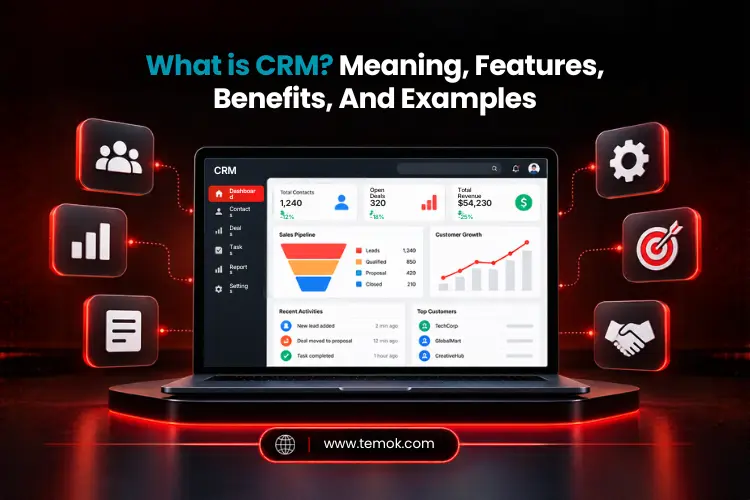

CRM, or Customer Relationship Management, is a strategy and software system that businesses use to build stronger customer relationships, manage customer information, track interactions, boost sales, and power up related customer relationships. A CRM is also a tool that businesses utilize to keep every customer conversation, request, and deal in one place.
When people ask, “What is CRM?”, they only think that it is software that brings more customer data, sales tracking, marketing adverts, and customer service records at one place. However, CRM meaning used in everyday business now means both the strategy and the tool. It helps teams organize information and interactions in sales, marketing, and customer service.
This guide will explain what does CRM mean, how it works, its key features, benefits, examples, and how to select the best CRM platform.
Key Takeaways
- CRM is a strategy to manage customer relationships and related data in one place.
- A CRM system’s main purpose is to organize potential customers’ information and help teams manage sales, marketing, and customer service.
- Three main types of CRM are operational, analytical, and collaborative.
- CRM helps with follow-ups, team collaboration, reporting, personalization, and visibility into sales possibilities.
- Modern platforms now integrate AI CRM, and the best option relies on your team’s total size, goals, and budget.
What is CRM?
CRM (Customer Relationship Management) is a core strategy and technology businesses use to manage their everyday interactions with current and potential customers. A CRM for business system organizes client information and interactions, allowing teams to make better decisions and provide more helpful services.
Additionally, CRM meaning extends beyond software. When people ask what does CRM mean or what is customer relationship management, they frequently get two answers, both of which are legitimate. So, what is CRM fundamentally about? A method of treating customers as people with a past, rather than as random names on a list.
The term “CRM” has two nearly related meanings.
- CRM as a business strategy: This involves putting customers at the center of business decisions. It means recognizing their requirements, speaking openly, offering helpful assistance, and developing connections over time.
- CRM as a software: These are the digital tools that help teams put their plan into action. Employees may access essential information in one spot rather than in various spreadsheets, inboxes, and documents for each customer.
Most people still use the word to refer to the software, although the strategy is always what comes first. Without it, even the most advanced tool becomes a collection of unused data.
How Does CRM Work?
A CRM collects potential customer information from multiple channels, organizes it into usable profiles, and helps teams decide their next strategy to boost sales and customer relationships. It generates a shared record of interactions rather than distributing key information among departments.
To easily understand how does CRM work, you can follow this sequence:
Customer Interaction → Data Captured → Customer Profile Updated → Sales, Marketing, or Support Action → Follow-Up → Analysis
Website forms, emails, phone calls, sales conversations, support requests, advertising campaigns, and transactions can all contribute to a CRM’s data. For example, when a customer submits a form online, the system generates a lead record immediately.
After that, teams utilize the shared information to plan their next actions. A sales representative sees the most recent email, a support person sees open tickets, and a marketing person sees the campaign that generated the lead.
After understanding what is CRM and how it works, let’s understand its key features.
Also Read: CMS Platforms: Types, Features and Best Solutions For Businesses
What Are the Key Features of CRM?
Main CRM features include better contact management, customer management, lead and opportunity management, sales pipeline management, marketing automation, workflow automation, and reporting and analytics.
The precise feature set varies by platform; however, most systems focus on the following features.
Contact And Customer Management
Contacts are specific individuals in your CRM. Each contact record contains basic information such as name, email, phone number, and title, as well as communication preferences and a detailed interaction history. You may provide personal notes and context to help you recall key aspects about each relationship. Afterward, teams may study a customer’s profile before contacting them, decreasing the number of queries and context gaps.
Lead And Opportunity Management
Lead generation management enables teams to record new inquiries, assign owners, and monitor potential clients through the sales process. Employees may identify which leads require attention and track their progress. This makes it easy to plan follow-ups and spot chances that would otherwise go unnoticed.
Sales Pipeline Management
A sales pipeline view displays possible outcomes as agreements go through phases. Managers may see deal values, activity, and projected income at a glance. Meanwhile, representatives know where to direct their efforts, making planning and forecasting considerably easier for the whole sales organization. That is why learning what is CRM is easier.
Marketing Automation
CRM systems enable firms to use automation to design, execute, and assess the effectiveness of marketing initiatives in real time. Many systems also employ artificial intelligence technology to assist businesses in segmenting their consumer base and offering high-quality, personalized information more quickly than traditional methods. Automation should nevertheless adhere to client permission, communication choices, and any privacy regulations.
Customer Service Management
Centralizing customer support activities with automated case routing, information systems, service level agreement databases, and integrated communication channels enables businesses to prioritize requests and provide more personalized services to customers, regardless of which department or employee they deal with. Some platforms also direct requests to the appropriate team and track outstanding cases until they are handled. As a result, problems are resolved faster, and consumers do not need to explain things twice.
Workflow Automation
Workflow automation covers repeated operations, including lead requests, notice sending, and follow-up scheduling. Rules operate in the background, allowing individuals to spend less time doing busywork and more time having meaningful interactions. It also decreases basic human mistakes, resulting in cleaner data over time.
Reporting And Analytics
Reporting tools convert CRM data into meaningful business information. Teams may evaluate sales success, pipeline health, sentiment analysis, campaign outcomes, and service activities. These reports assist managers in identifying trends, monitoring goals, and adjusting procedures according to real facts rather than assumptions.
After learning what is CRM in detail, let’s discuss its main types.
What Are The Main Types of CRM?

Three main CRM types are operational CRM, analytical CRM, and collaborative CRM. Each type serves a different strategy, such as managing client-facing work, understanding important customer data, or assisting teams in sharing valuable information.
1. Operational CRM
An operational CRM system is the most widespread and provides the widest range of features. It focuses on improving front-end consumer interactions and company operations. The primary goal is to assist teams in better understanding their consumers and, as a result, optimizing the customer experience in order to build stronger customer relationships.
The operational CRM system collects customer information and uses it across several disciplines inside the organization, such as marketing automation, sales automation, and service automation. As the effectiveness of operational CRM is dependent on an organization’s data input, it may be a valuable, if time-consuming, procedure.
2. Analytical CRM
Analytical CRM uses data analysis to find trends in client behavior. Analytical CRM uses data mining to personalize marketing efforts, create customer profiles, improve sales outreach and forecasting, and improve customer care interactions.
This CRM is most likely best suited for a medium-to-large business with a huge volume of data to analyze. While this may be a highly effective CRM, it can get fairly complex, so having the right team on hand is critical.
3. Collaborative CRM
Collaborative CRM enables departments to exchange client information and coordinate interactions. When sales, marketing and support look at the exact same record, clients get a similar experience and don’t repeat themselves.
The collaborative CRM system generally consists of two components: customer interaction management and channel management. It is ideal for organizations with numerous locations to improve communication and information sharing with customers.
So, what is CRM used for these days? Usually, it is a combination of all three. Modern systems hardly fall into a single category, with most combining operational, analytical, and collaborative capabilities.
What Are The Benefits of CRM?
The primary CRM benefits come from providing staff with greater access to client information and a more organized approach to managing their workload. When the system is well-configured and used regularly, it may improve customer experiences and day-to-day business processes.
Key CRM benefits include:
- Connecting Your Business Hierarchies: A CRM gives everyone in your organization a clear, customized CRM user interface with real-time updates that they may utilize to assist customers.
- Better customer connections: Use prior talks and consumer preferences to make encounters more meaningful.
- Higher revenue: Improve your revenue by optimizing product mix, value, and price realization.
- Personalized marketing: Organize audiences and adapt messaging to appropriate interests or stages of the consumer journey.
- Better customer service: Agents can view history and address problems faster.
- Workflow automation: Reduce the number of manual processes and enable staff to accomplish basic activities on a consistent basis.
- Lower direct costs: Reduce exposure to unproductive clients while improving operational efficiency and sales productivity.
- Lower indirect costs: Improve supplier agreements and technology support by consolidating CRM instances, decreasing CRM application customization, and enhancing technology acceptance and usability while shortening user training periods.
- Improved reporting and predictions: Use current data to evaluate performance and forecast potential sales.
- Enhanced customer lifetime value (CLV): Businesses may utilize their CRM system’s data collection and reporting features to identify opportunities to strengthen customer relationships and boost customer lifetime value by analyzing customer interactions, purchasing trends, and service history.
- Improved team collaboration: Help sales, marketing, and service teams collaborate using common customer information.
However, these CRM benefits are not automatic. Incomplete records, inefficient procedures, and limited staff adoption can all reduce a CRM’s value. To get beneficial outcomes, businesses must have clear processes, dependable data, and proper training.
Understanding what is CRM will become easier with some examples. Our next section is all about different CRM examples.
CRM Examples
CRM examples include tools for managing sales, marketing, service, and customer data. Some popular customer relationship management (CRM) examples are Pipedrive, Salesforce, HubSpot CRM, Microsoft Dynamics 365, and Zoho CRM.
Here is a comparison table for each CRM for your better understanding:
| CRM Platform | Commonly Used For |
|---|---|
| Salesforce | Sales, marketing, service, enterprise CRM |
| HubSpot CRM | Sales, marketing, customer service |
| Microsoft Dynamics 365 | CRM integrated with Microsoft business applications |
| Zoho CRM | Sales and customer relationship management |
| Pipedrive | Sales pipeline and deal management |
NOTE: These examples only show diverse methods for CRM rather than a rating. Some businesses want extensive capabilities across several departments, whilst others only want a clear picture of leads and deals. So, the best match depends on your requirements; therefore, always try a tool before choosing one.
For example, small teams may require simple contact management and follow-up reminders. A larger company may need advanced rights, comprehensive reports, various integrations, and processes covering multiple regions or divisions.
Also Read: The Ultimate Guide To CRM Management Tools
Understanding what is CRM is unclear until businesses know how to use it correctly. Therefore, the next section will be all about how businesses can use CRM to boost productivity.
How Do Businesses Use CRM?

CRM allows businesses to manage customer interactions across the relationship, from the initial marketing response to sales, continuing support, and future prospects. Its practical significance becomes obvious when various departments use the same customer information for their own jobs.
CRM For Sales
CRM allows sales teams to gather leads, record discussions, monitor prospects, and plan follow-ups. They can evaluate the pipeline to determine which projects require attention and utilize past sales data to help anticipate. Managers can also monitor activity without having to wait for updates from individual salespeople.
CRM For Marketing
CRM enables marketers to build and track campaigns that provide relevant information to both new leads and existing customers. A CRM system often includes options like configurable email templates to aid in automating campaign development. Some CRMs enable you to segment consumers based on their preferences and historical purchasing activity, allowing you to design customized marketing.
CRM For Customer Service
Excellent service may be a key aspect in developing long-term, good client relationships. A CRM system gives all customer support agents access to each client’s complete history.
They no longer have to go through the time-consuming process of obtaining the same information each time a client contacts the organization, and they can quickly examine any ongoing cases as well as prior service requests and orders. A CRM automates the generation, task, and tracking of multiple cases in response to service requests received through various channels, including phone and email.
Artificial intelligence has emerged as a great tool for businesses using different CRM platforms. Understanding what is CRM AI in 2026 has become very important for businesses to remain competitive.
How is AI Changing CRM?
AI is transforming CRM from a data storage facility to a tool that predicts, summarizes, and recommends next actions for businesses. In 2026 and beyond, AI functions are going to be interacting more and more with traditional CRM records, processes and reporting tools.
The AI CRM software combines the power of AI with traditional CRM capabilities to provide more personalized experiences and handle client demands faster.
Common AI CRM features include the following:
- Lead scoring: Involves estimating which leads are more likely to convert according to available data.
- Sales forecasting: Uses past data and present opportunities to make projections.
- Customer insights: Discover trends in customer behavior and interaction.
- Conversation summaries: Condense conversations, meetings, and email threads for easier perusal.
- Content assistance: Help with follow-up emails, campaign messaging, and consumer answers.
- Recommended next actions: Suggest follow-ups or activities depending on the existing context.
- Customer-service automation: Assist with regular queries and directing requests to the proper teams.
AI agents and assistants help with multistep activities like record preparation and coordinating approved process steps.
When selecting the correct CRM software, you should analyze what drives your overall business goals. Traditional automation follows preset rules, such as sending an email when a form is filled out. AI capabilities extend to predicting, creating, summarizing, and suggesting, with newer agent-style systems capable of doing tasks autonomously. Nonetheless, people should reassess key decisions.
CRM vs ERP: What’s The Difference?
CRM focuses on client connections, whereas ERP handles internal resources and operational activities. Moreover, many organizations utilize both and combine them to deliver accurate and relevant information.
Here is what is CRM vs ERP comparison table for your better understanding:
| CRM | ERP |
|---|---|
| Customer-facing connections | Internal business resources/processes |
| Sales, Marketing, and Service | Finance, supply chain, inventory, and operations |
| Customer and prospect data | Organization-wide operational information |
| Revenue/client relationship focus | Resource and operational control focus |
A CRM, for example, can keep track of a customer’s sales conversations and service history, whereas an ERP system handles invoices, inventories, and order fulfillment. When connected, these tools can assist staff in connecting client responsibilities with operational details.
How To Choose the Right CRM?
The best CRM platform should be optimized for your company procedures, team size, and future objectives, rather than simply providing the best features. Before picking a platform, consider the challenges you want it to answer and how easy it will be for staff to use.
Moreover, you can consider the following ten factors before choosing the right CRM for your business:
- Business requirements: Determine the issues related to client management that you must resolve.
- Users: Take into account the number of users and their responsibilities in the system.
- Department needs: Verify the specifications for customer service, marketing, and sales.
- Automation: Choose which repetitive processes to automate.
- Integrations: Verify that email, accounting, marketing, and other systems are compatible.
- Analytics and reporting: Seek reports that strengthen your company’s choices.
- AI capabilities: Assess data controls, security measures, and helpful AI features.
- Ease of use: Select a system that staff members can get familiar with and regularly utilize.
- Scalability: Verify that it can accommodate anticipated business expansion.
- Cost and security: Examine contract conditions, overall cost, data protection, and permissions.
A small firm may only need contact management, a basic sales pipeline, and reminders. On the other hand, a huge organization may require advanced analytics, complicated permissions, significant integrations, and cross-departmental cooperation. Begin with basic requirements, then add complexity when it gives obvious benefit. Understanding what is CRM is therefore important.
Frequently Asked Questions (FAQs)
What are the four types of CRM?
The four CRM software types include operational, analytical, collaborative, and strategic CRM.
Is CRM hard to learn?
Learning a CRM (Customer Relationship Management) tool is typically simple, although the difficulty varies depending on your position, platform, and system configuration.
Will CRM be replaced by AI?
Never. AI cannot replace CRM (Customer Relationship Management) systems. Rather it will be built into its structure. AI is great for automating insights, but it can’t replace the need for accurate customer data, relationship-management systems, security measures, and keen human supervision.
What are the CRM tools?
CRM tools are apps that help businesses manage customer data and interactions. Different CRM examples include Salesforce, HubSpot CRM, Microsoft Dynamics 365, Zoho CRM, and Pipedrive.
Conclusion
Organizations frequently assess CRM solutions based on business requirements, integrations, security, scalability, AI capabilities, and simplicity of use after understanding what is CRM and how it serves marketing, sales, and service teams.
Modern systems increasingly integrate AI into routine tasks, such as summarizing chats and recommending next actions. Still, successful CRM usage is dependent on reliable data, usable procedures, staff acceptance, and ethical customer information management.
Ready to start? List your specific requirements, test two or three CRM software options with real-world tasks, and select the one that your staff can use every day.
Hammad Mohsin
Customer Relationship Management (CRM) is a strategy that the company uses to manage interactions with customers and potential customers. CRM helps organizations streamline the process, build customer service, and increase profitability.
Solomon
It was really a good read. I had a good experience from this read. thanks for showing this confusing & sensitive thing in an easier way. The way you summarise the whole article in a few points pointing to which software is good for which purpose was completely amazing. customer relationship management is the key to generate sales from the pipeline. cause it is impossible to manage & close sales maintaining different customers from a different stage of the buyer’s journey. CRM software is a must-have thing for a small business. ’cause it helps to generate a sale from a potential customer. I think using Hubspot can be a great choice. as it’s providing a lot free of cost. tho it’s paid plan is much costly than others but hubspot is worthy.
Viktor
Great blog. There are so much benefits in using a CRM Software for any organization. You have explained it very well. Thank you for the other software suggestions also.
Papper It
There are so many benefits to using CRM software for any organization, and you’ve explained them very clearly.